Configuration version history provides a record of changes made to a budget policy. You can use it to review the current configuration, compare it with an earlier version, and restore a previous version.
Version history is enabled by default for budget policies. A version is created when a budget policy is created or updated.
Permissions
Your access to version history is based on your permissions for the budget policy:
- To view version history, you must have permission to view the budget policy.
- To restore a version, you must have permission to modify or update the budget policy.
Why use version history?
Changes to a budget policy can affect when warning and critical alerts are triggered. For example, an unintended change to a threshold can cause excessive notifications or false alarms.
Use version history to:
- View snapshots of a budget policy configuration.
- Identify values that changed between versions.
- Compare the current version with an earlier version.
- Compare two older versions.
- Restore a suitable earlier version.
View version history
View the version history of a budget policy to review its current configuration and previously saved versions.
Follow these steps to view a budget policy’s version history:
- On the Budget based policy listing page, search for the policy whose version history you want to view.
- Mouse hover over the row and click the ellipsis (…) icon.
- Select Version History. The Version History page appears with the current policy configuration, by default. The dropdown lists the versions with timestamp.
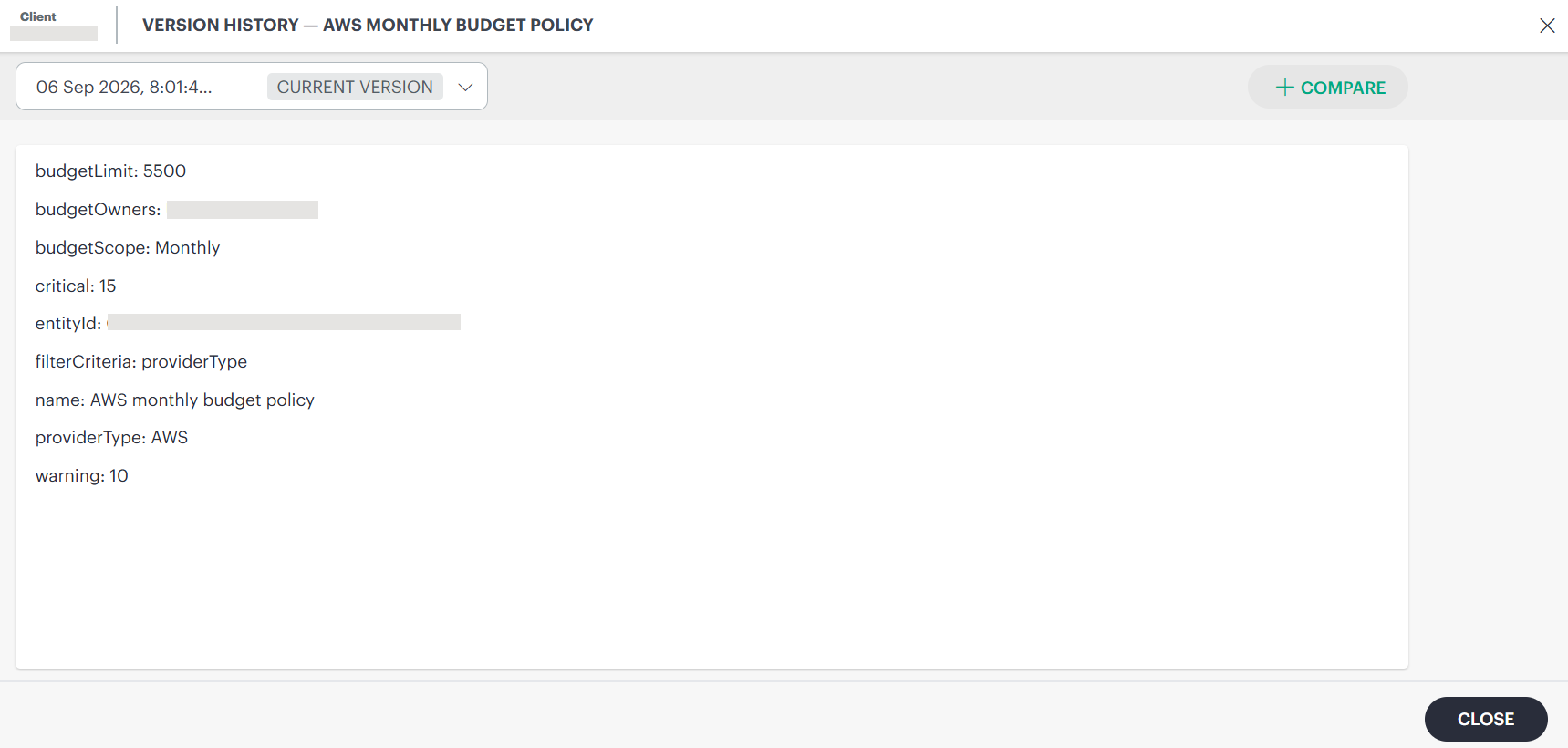
- Clicking the dropdown lists the available earlier versions.
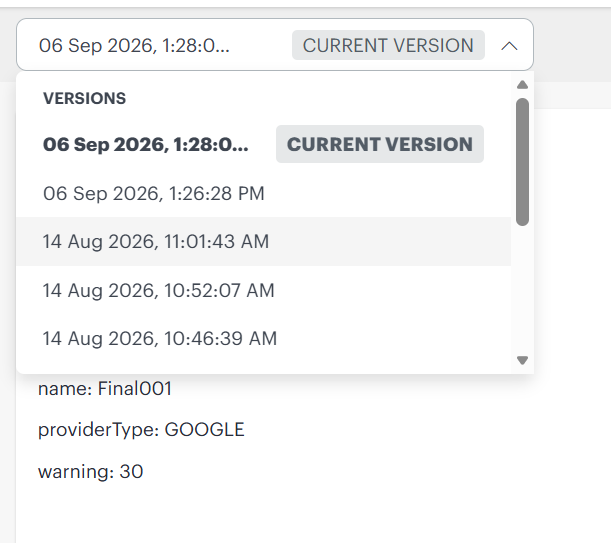
You can click the versions in the dropdown to review the changes. The selected version displays the policy configuration, allowing you to compare it with the current version and identify any values that changed.
Compare versions
Compare budget policy versions to see how changes affect warning and critical alerts. This comparison helps you find what caused unexpected alerts and decide whether to restore an earlier version.
Follow these steps to compare versions:
- On the Budget based policy listing page, search for the policy whose version you want to compare.
- Mouse hover over the row and click the ellipsis (…) icon.
- Select Version History. The Version History page appears with the current policy configuration, by default.
- Click +Compare at the top right corner of the page.
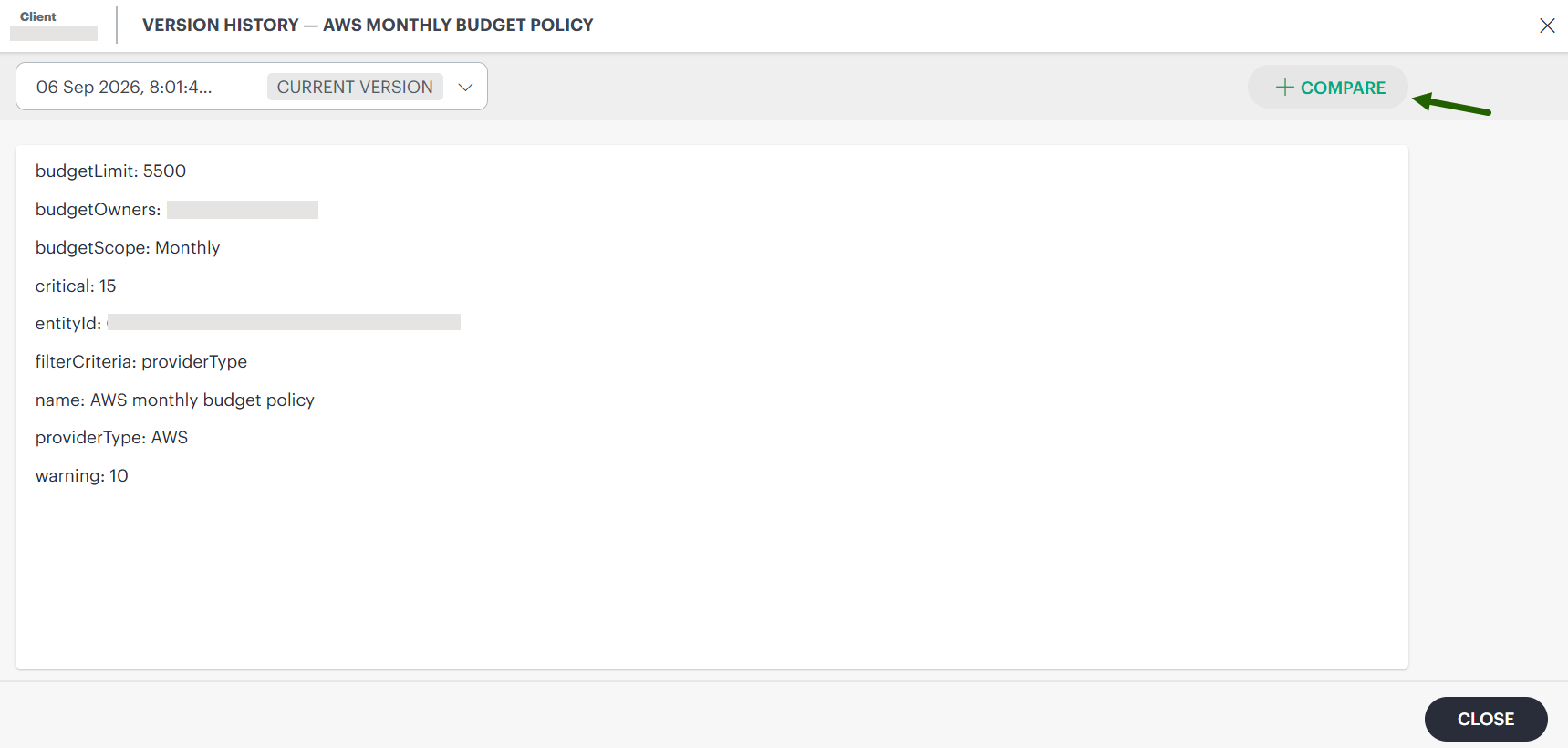
By default, the system compares the current version with the version immediately preceding it.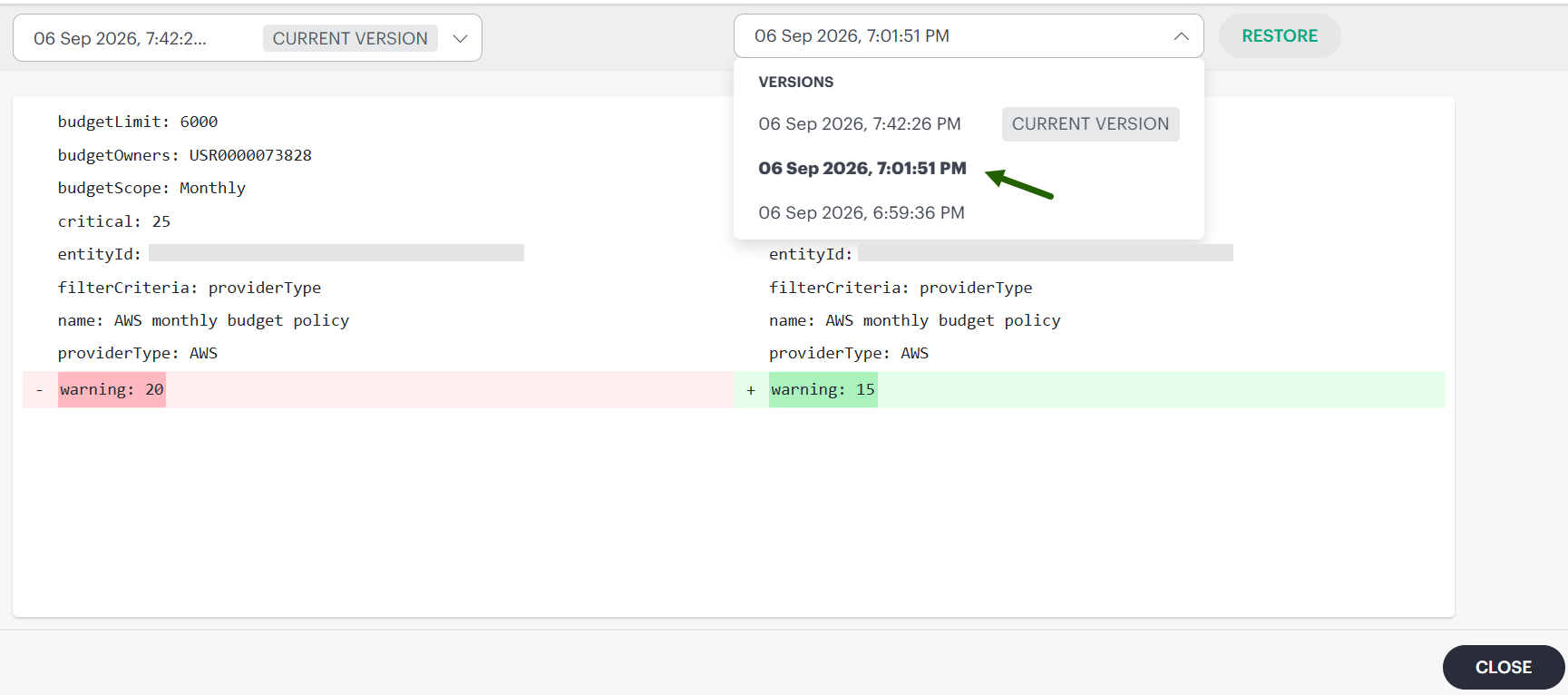
The comparison highlights the changes made. Review the differences between the configuration values.
- You can select another older version to compare with the current version, or compare two older versions.
Comparison helps you determine which change might have caused unexpected alerts.
Restore a version
Restore an earlier version of a budget policy when you need to revert recent configuration changes. The restored configuration becomes the current version while preserving the existing version history.
Follow these steps to restore a version:
- On the Budget based policy listing page, search for the policy.
- Mouse hover over the row and click the ellipsis (…) icon.
- Select Version History. The Version History page appears with the current policy configuration, by default.
- Click +Compare at the top right corner of the page.
By default, the system compares the current version with the version immediately preceding it. - From the dropdown on the right, select the version you want to restore.
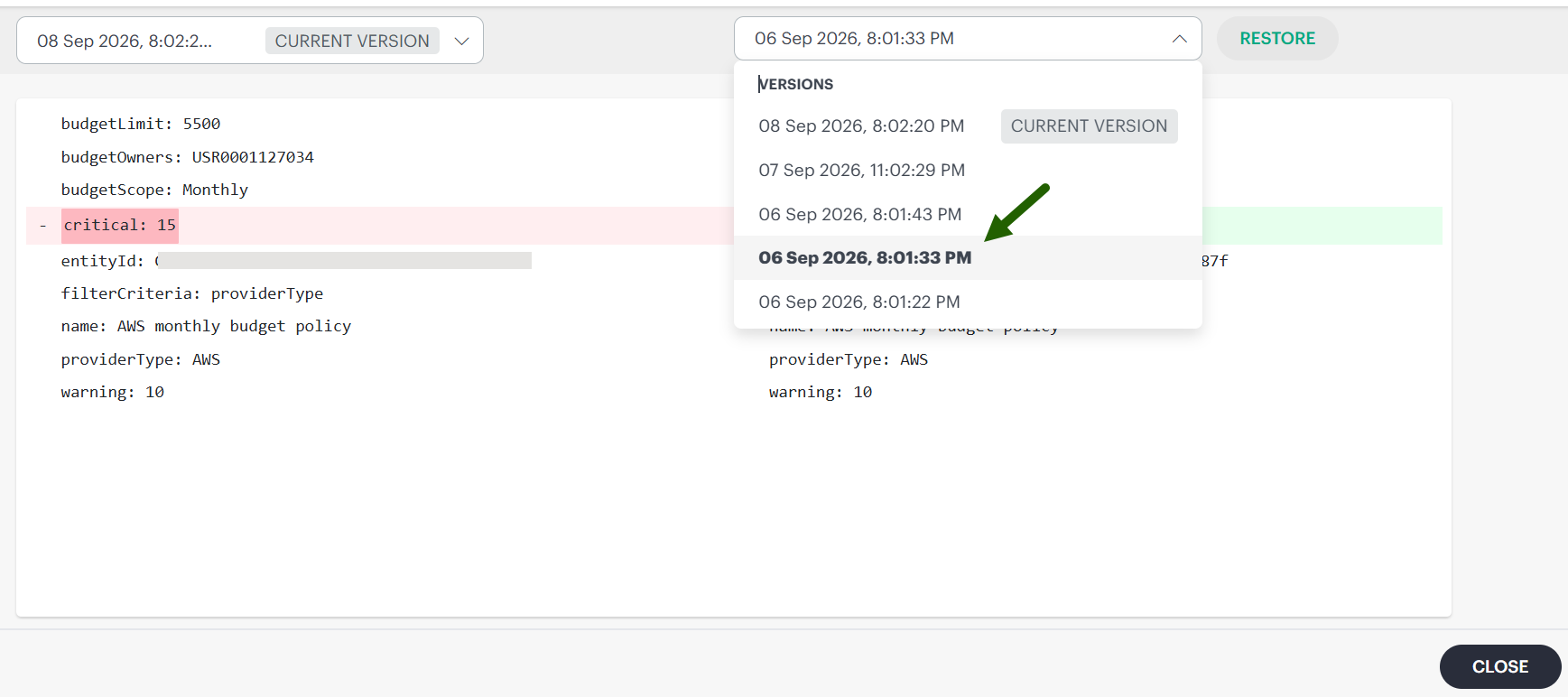
- Click Restore. A confirmation message appears.
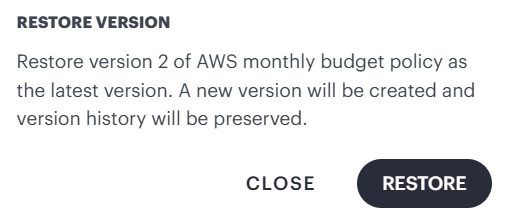
- Review the message and click Restore.
Restoring a version creates a new version. Existing versions remain in the version history. After the operation is complete, the restored values become the current configuration.
Note
The time required to apply a restored configuration can vary. A configuration that must be applied to a device might take longer to complete.Version retention and deleted policies
Version history is retained only while the budget policy exists.
Important
Deleting a budget policy also removes its version history. You cannot view or restore versions of a deleted policy. Version history is not a backup or recovery mechanism for deleted configurations.
Existing audit logs remain available through the applicable audit or logging features, but deleted configuration snapshots are not available through Version history.