Scripts Dashboard page provides a list of all categories and scripts. From this page, you can manage the categories and scripts. The sections below explain the key elements on the page.
Note
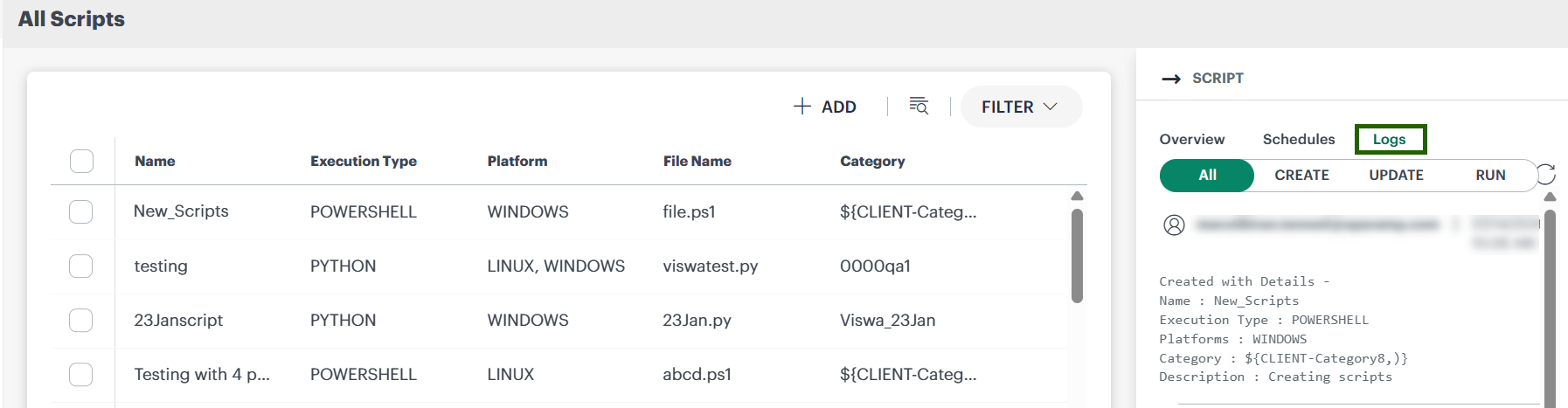
To see the Logs option for a script, users need the Jobs_View permission.| Annotation | Description |
|---|---|
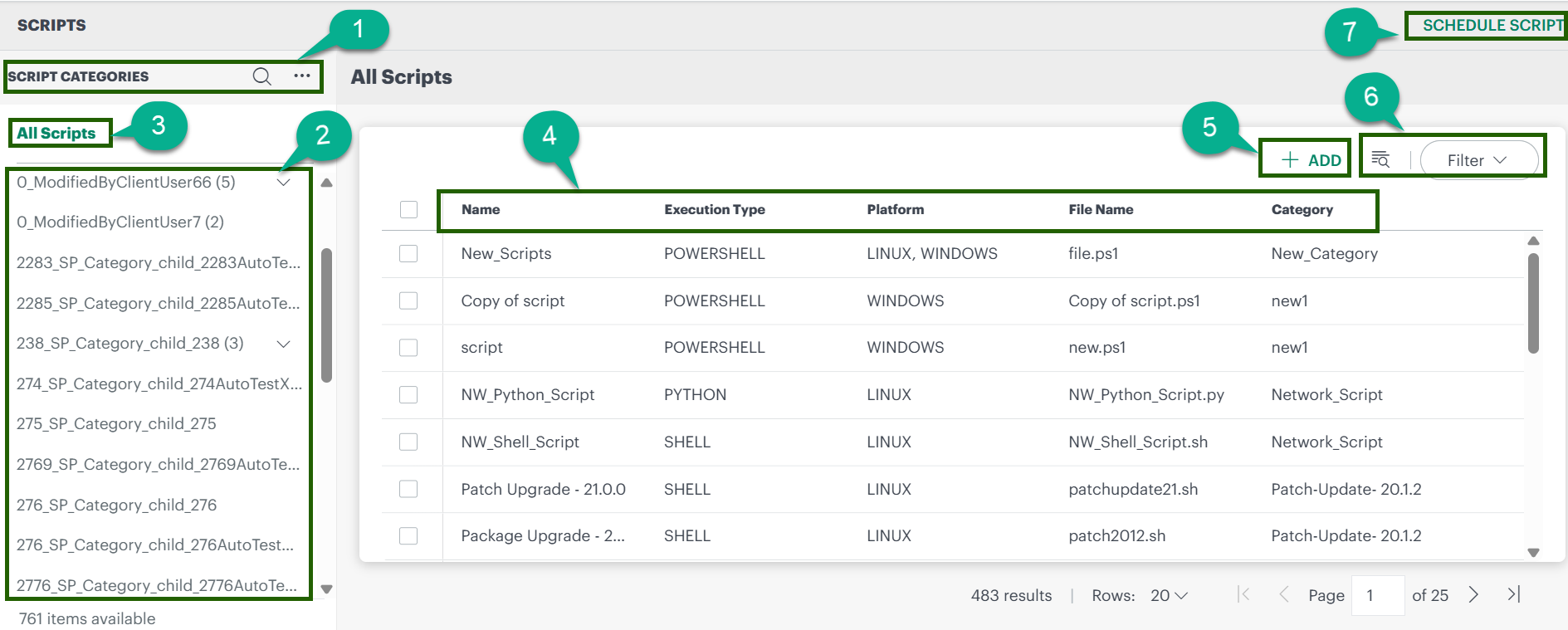
| 1 | Category panel: create a category, search categories, and expand/collapse the category list. |
| 2 | List of all created categories. |
| 3 | Select to view scripts for all categories/sub-categories (and, if applicable, filter by user type). |
| 4 | Script details including Name, Execution Type, Platform, File Name, and Category. |
| 5 | Use this option to create a new script. |
| 6 | Filter or search scripts to find the required script. |
| 7 | Go to the Scheduled Scripts page to view all scheduled scripts. |
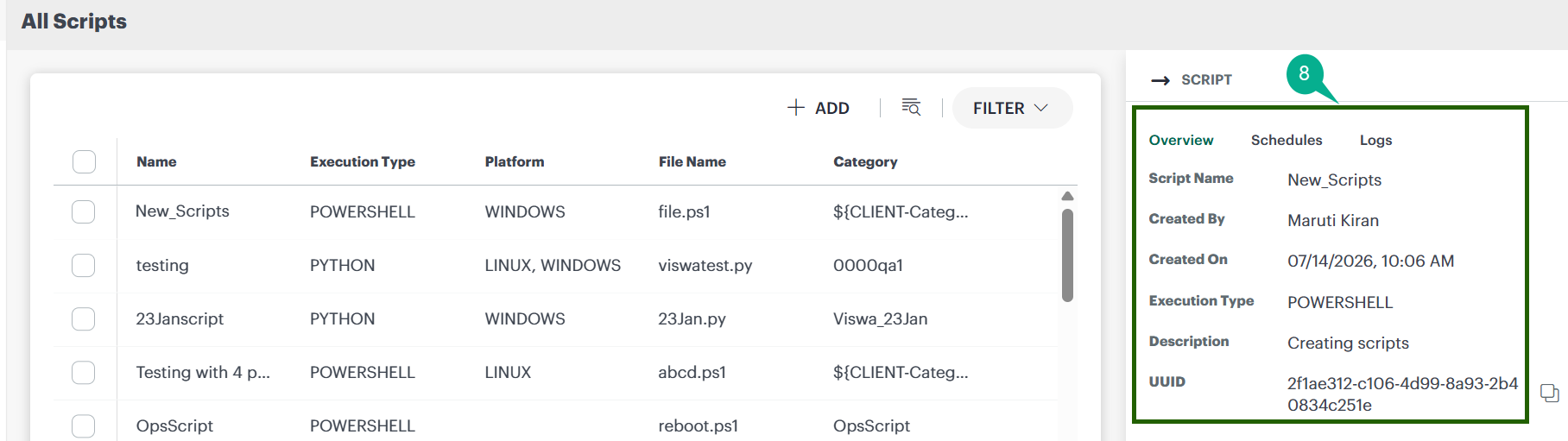
| 8 | When you click on a script, this section displays script details, scheduling information, and logs. |