Introduction
A script is a user-defined job, you can define your own job tasks by writing code to be included in OS and SQL scripts.
Scripts are partner specific. For example, a script can be created, assigned, and scheduled at the partner-level and the client-level devices.
Prerequisites
The following prerequisites must be in place to view and use the Scripts option in OpsRamp.
- Ensure that Partner and Client users are set up.
- Ensure the Remediation and Automation package is selected for both - Partner and Client.
- Ensure the following ADD-ONS are selected:
- Process Automation
- Remote Access Management
For more details, see Partners and Clients pages.
Permissions
Following permissions required to manage the Scripts:
| Action | Category | Permission Type | Permission Value |
|---|---|---|---|
| To View the Scripts | Automation | Scripts | View |
| To Create, Update, and Delete Scripts | Automation | Scripts | Manage |
| To Run the Scripts |
|
|
|
Follow these steps to enable the above permission set:
- Navigate to Setup > Account > Users and Permissions.
- Click the Permissions Sets tab.
- Click + ADD. The Add Permission page is displayed.
- Under Permission Set Details screen, enter a Permission Set Name and short Description.
- Select the above mentioned permissions and click Save.
Refer to the Permission Sets document for more details on obtaining the necessary permissions.
Workflow
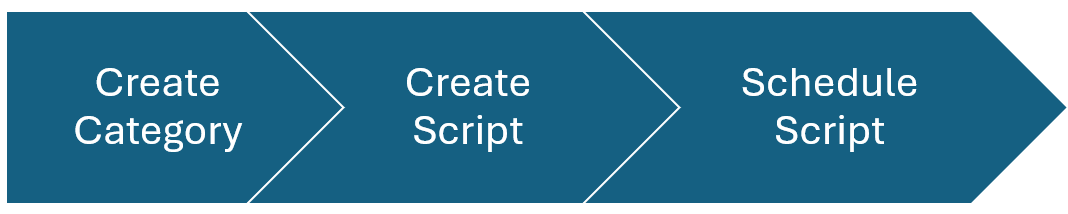
Following are the workflow of scripts:
User Level Permissions
There are three types of scripts that can be created and managed based on user level permissions. Below are the scenarios describing who can manage and create the scripts:
Scenario 1: Service Provider (SP) User
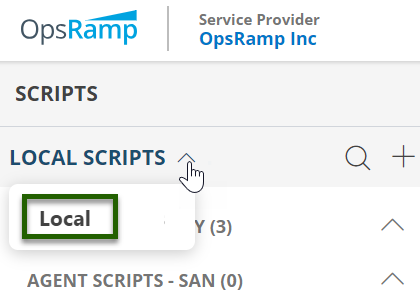
If you are an SP user, you have the following script support:
- Local: User can add/create, edit, and remove scripts.
Scenario 2: Partner User
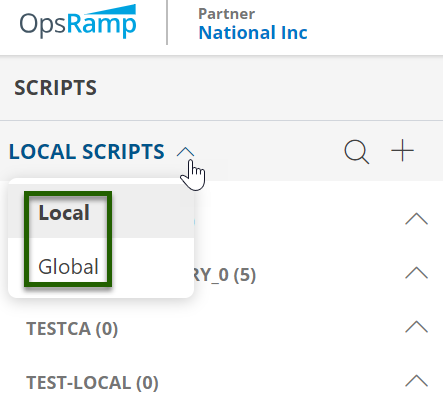
If you are a Partner user, you have the following script support:
- Local: User can add/create, edit, remove, and schedule scripts.
- Global: Created by the SP level user. you can only schedule these scripts.
Scenario 3: Client User
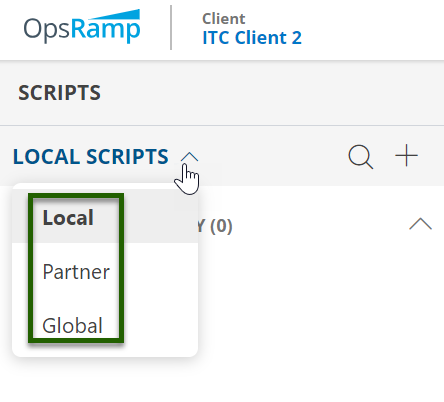
If you are a Client user, you have the following script support:
- Local: User can add/create, edit, remove, and schedule scripts.
- Partner: Created by the Partner level user, you can only schedule these scripts.
- Global: Created by the SP level user, you can only schedule these scripts.