Metrics show aggregate behavior over time, while traces preserve request-level execution paths. Use metrics to identify when and where behavior changed, then use traces from the same interval to explain representative requests.
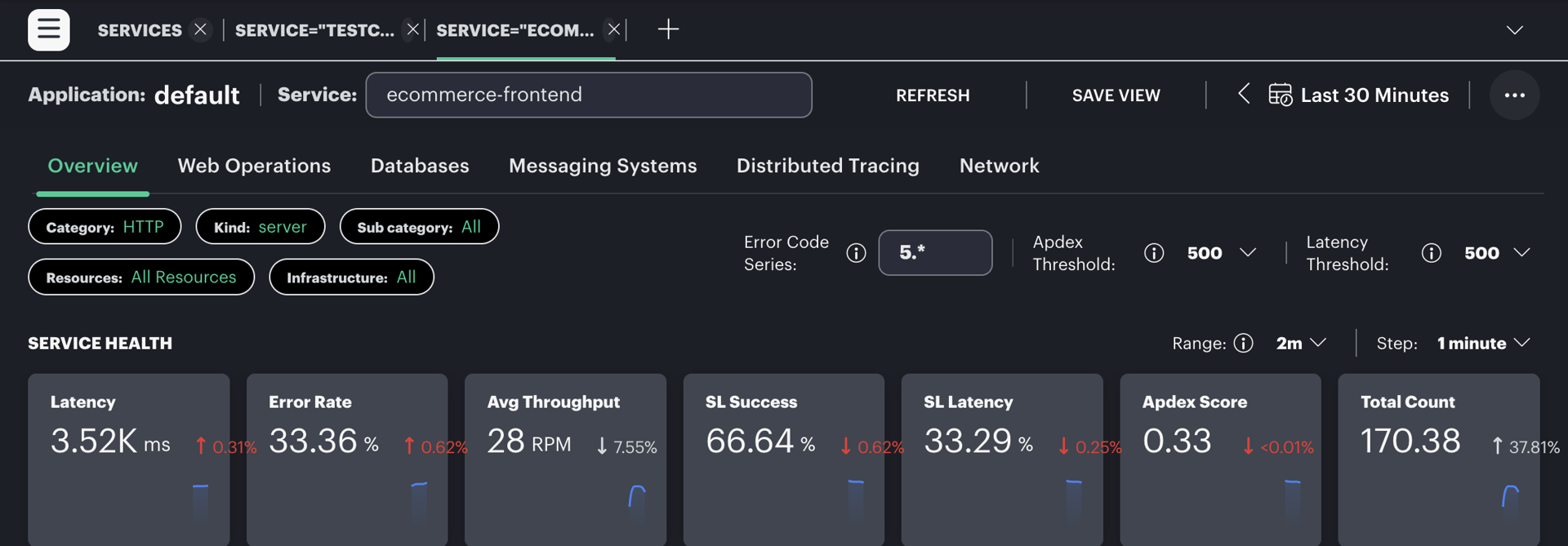
Trace service metrics provide aggregate context for selecting a trace investigation window.
Start from service behavior
- Select the affected service and time range.
- Review latency, error rate, throughput, and Apdex together. A single metric rarely explains the impact by itself.
- Identify the beginning, peak, and recovery of the change.
- Open traces for the same service and interval, then filter for errors, high latency, or the affected operation.
- Compare multiple traces before deciding that one request is representative.
Account for sampling
Metrics generated independently of trace sampling, or before sampling is applied, can continue to show an aggregate problem when the corresponding trace was not retained. Metrics derived from sampled spans represent the sampled population. Check how a metric is produced before using it to estimate total traffic or rare-event frequency.
Align metric aggregation intervals with trace timestamps. Short trace events can be hidden by a wide metric interval, while narrow intervals can appear noisy at low traffic volumes.