Introduction
Access Control lets administrators restrict ticket editing to members of the assigned user group. When enabled for a ticket type, only members of the corresponding assignee group can edit tickets of that type.
Restrict ticket editing to assignee group members
To configure access control:
Navigate to Access Control under Configuration section.
Under Allow Ticket Edit Only to Assignee Group Members, select one or more ticket types for which you want to restrict edit access:
- Incident
- Service Request
- Problem
- Change Request
- Task
- Time Bound
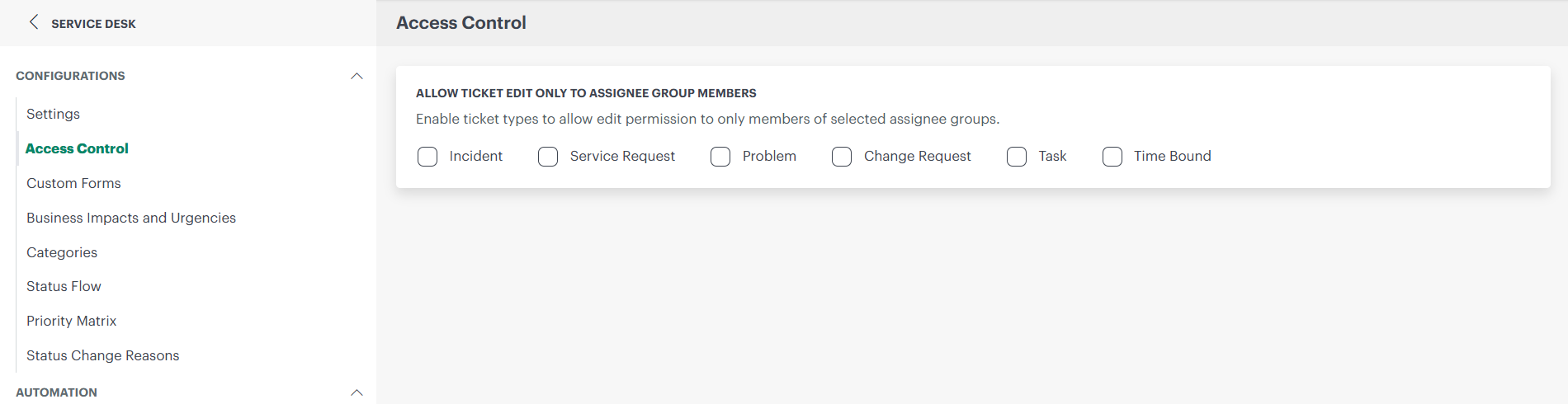
For the selected ticket types, ticket editing is limited to members of the corresponding assignee group instead of being available to all users.