Follow your organization’s approved decommissioning process before removing AI Observability components.
Offboard an AI cluster
The API client used for offboarding needs permission to delete integrations, credentials, resources, tags, and management profiles.
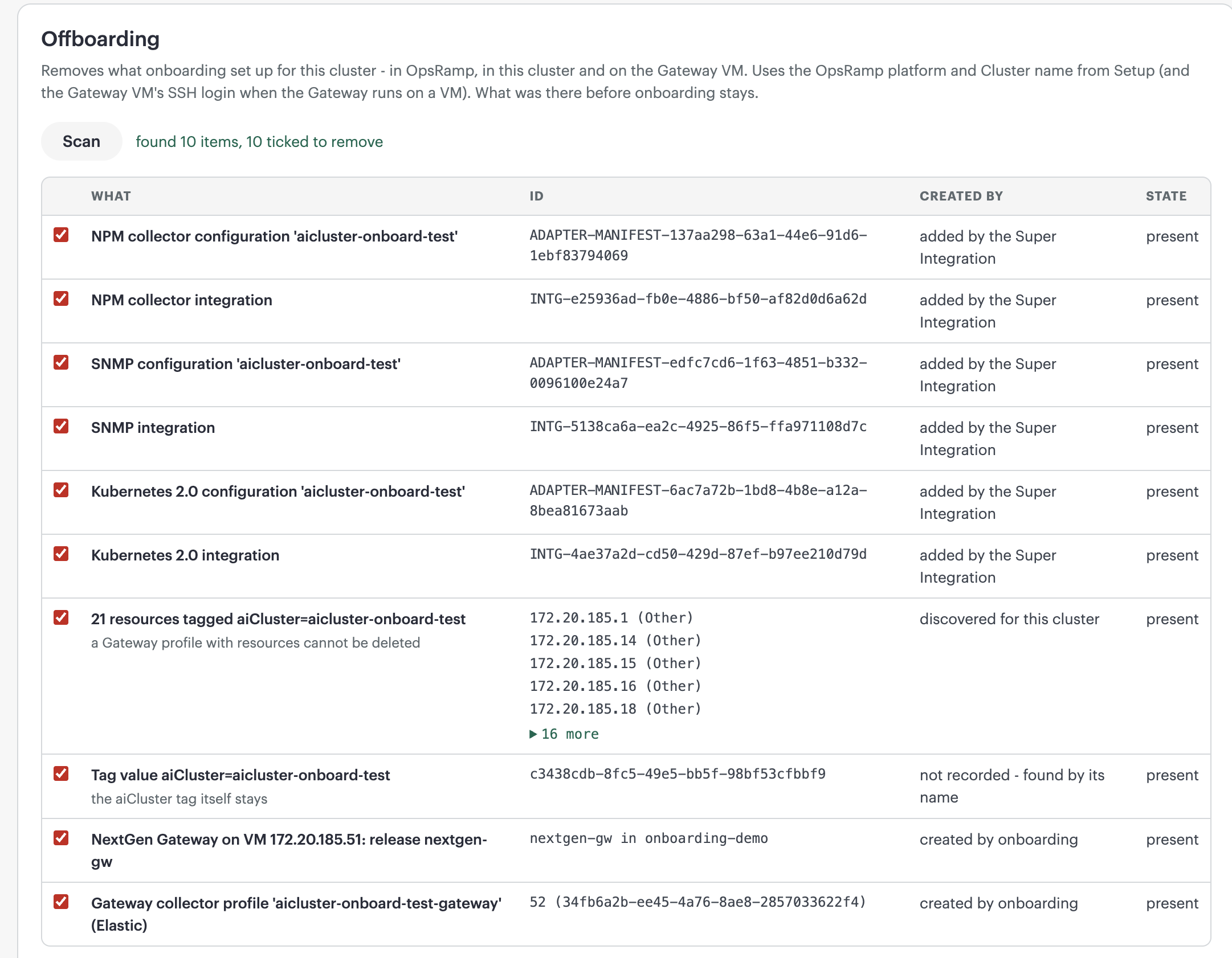
- In the onboarding UI, select Offboarding at the bottom of the sidebar, then select Scan.
- Review the items found, including their Created by and State details. Clear the selection for anything you want to keep. Items that existed before onboarding cannot be selected.
- Optional: Select Dry run to review what would be removed without removing it.
- Enter
aicluster-<name>to confirm, then select Start offboarding.
Offboarding can remove the AutoI and Gateway releases and, in OpsRamp, the cluster’s integrations, SNMP credential, discovered resources, tag value, and Gateway profile. The scan can also find items by name that were not recorded during onboarding, so review the selection before proceeding. The aiCluster tag itself remains.
A Gateway profile with resources cannot be deleted. Review any warnings and resolve the reported issues before running offboarding again.
Remove the onboarding utility
Offboard the cluster first. Uninstalling the utility deletes the record of what onboarding created.
helm uninstall ai-onboarding --namespace ai-onboarding
Removing the onboarding utility does not remove the Gateway or AutoI.
Remove AutoI or related integrations
Offboarding removes these components. Follow the guidance below only if you need to remove them manually.
Before removal:
- Confirm which applications and environments depend on the deployment.
- Back up customer-managed values and custom resources.
- Disable or remove application instrumentation in a controlled manner.
- Coordinate workload restarts when required.
- Remove integrations and Gateway configuration only when they are no longer used.