Introduction
The deployment tool helps user to deploy the OpsRamp Agent in bulk across Windows servers.
This guide describes how to install the OpsRamp Agent on windows using Agent deployment tool.
- Step 1: Install Microsoft Windows OS Integration
- Step 2: Choose connection type (Direct or Proxy) and download deployment tool and Windows EXE Installer file
- Step 3: Install the Agent using Deployment Tool
Prerequisites and Requirements
- All target servers must be reachable from the Jump Server.
- The Jump Server and target machines must share the same set of credentials.
- It is recommended to use common Domain Admin credentials across all systems.
- Access to
ADMIN$andIPC$shares must be enabled on target machines. - OpsRamp uses
Xcmd.exe(third-party utility) to deploy and install agents from the source (Jump Server) to target systems.
Note
OpsRamp recommends to have the same set of credentials for all the devices on which Agent needs to be installed.Workflow of xCmd Utility
- xCmd connects to the
ADMIN$andIPC$shares on the target system (default Windows administrative shares). - It copies an embedded service executable to the directory mapped via the
ADMIN$share. - The utility installs this executable as a Windows service using system APIs and starts it on the remote machine.
- It establishes communication with the service through named pipes.
- A custom protocol is used to send commands to the service, which executes them and returns output/error streams via the named pipe.
- After execution, the copied executable is removed from the target system.
Install Microsoft Windows OS Integration
Refer to Install Microsoft Windows OS Integration document.
Download Deployment Tool and Windows EXE file
In this step, download the Agent Deployment Tool and Windows EXE Installer file from the OpsRamp Portal.
Refer Download Windows Agent document.
Install the Agent using Deployment Tool
- Navigate to the downloaded file.
- Copy the downloaded Agent Deployment Tool to the jump server.
- Run the AgentDeployment.exe file as administrator.
- The new screen will displayed. Enter the Input Discovery IPs details.
- Option 1: Range of SubNet IPs
- Provide the range of IPs where agent deployment tool should be installed.
- Enter Domain\Username and Password details
- Option 2: SubNet (one wildcard)
- Provide a SubNet IPs where agent deployment tool should be installed.
- Enter Domain\Username and Password details
- Option 3: Only for Specific IPs
- Provide a specific IP where tool should be installed.
- Enter Domain\Username and Password details
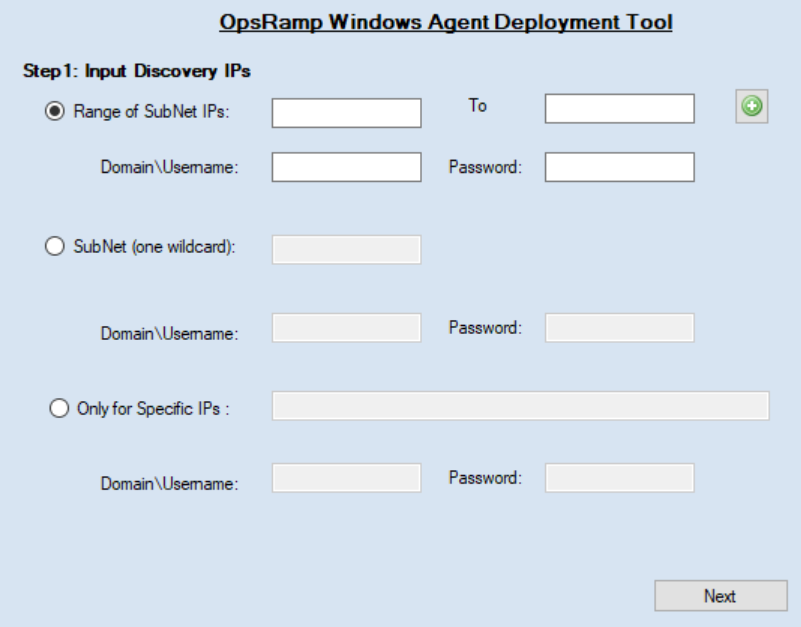
Click Next.
From the list of Available Devices, select the devices on which you want to install Agent and move to Selected Devices.
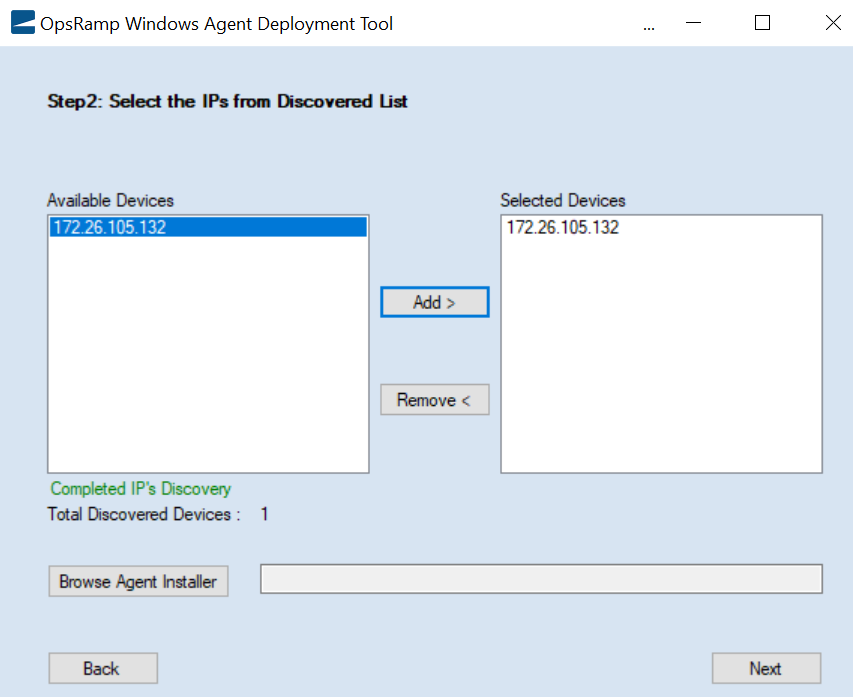
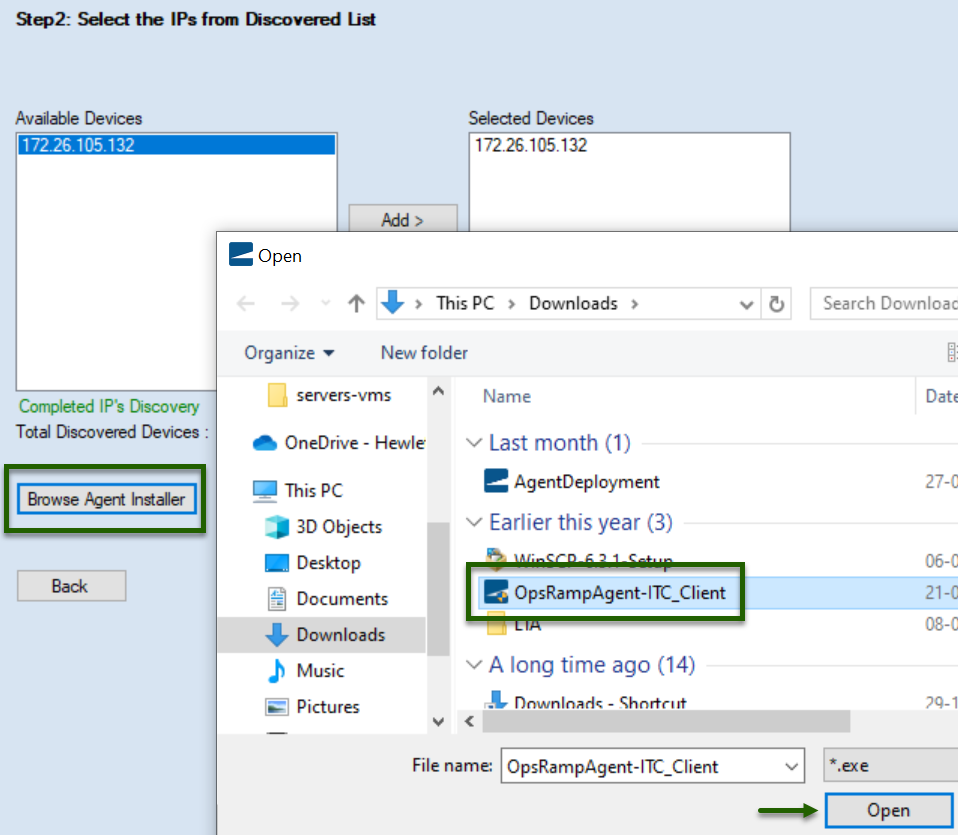
Click Browse Agent Installer and select the OpsRamp Windows Agent file that is downloaded from OpsRamp. Click Next.
Click Install.