Prerequisites
- Maintain an active OpsRamp account with integration configuration privileges.
- Connect to an accessible Elasticsearch cluster.
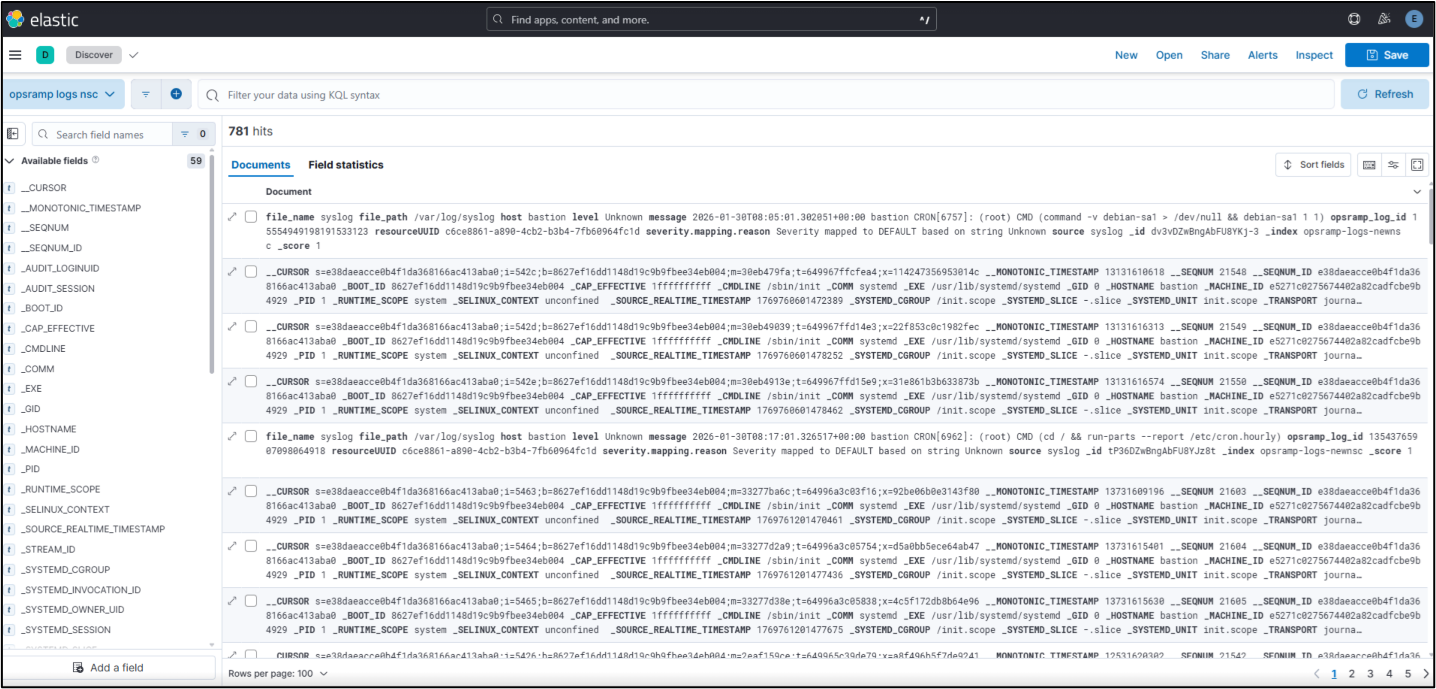
- Ensure access to Kibana to verify exported logs.
- Generate an Elasticsearch API key with bulk write permissions.
Configure Elastic Stream Export Integration
- Log in to the OpsRamp console.
- To select your client, navigate to All Clients, and click the Client/Partner dropdown menu.
Note: You may either type your client’s name in the search bar or select your client from the list. - Navigate to Setup > Account. The Account Details screen is displayed.
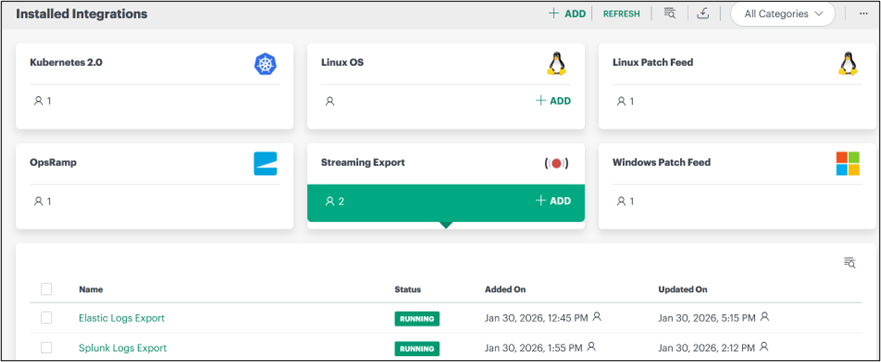
- Click Integrations. The Installed Integrations screen is displayed with all the installed applications.
Note
- If you do not have any installed applications, you will be navigated to the Available Integrations and Apps page with all the available applications along with the newly created application with the version.
- Ensure to check that the customer’s “Stream Exports” option is enabled at the Partner level if the Stream Export integration is not showing in the Available Integrations list.
- Click + ADD on the Installed Integrations page.
Note: Search for the integration either by entering the name of the integration in the search bar or by selecting the category of the integration from the All Categories dropdown list. - Click ADD in the Elastic Stream Export application.
- In the Configuration screen, enter the following BASIC INFORMATION:
| Field Name | Description | Field Type |
|---|---|---|
| Name | Enter a unique identifier for the integration. | String |
| Category Type | Select the category that classifies the type of data or logs being exported. | Dropdown |
| Http Endpoint | Provide the destination endpoint URL where data will be sent. | String |
| Type | Specify the integration type to define how data is exported. | String |
| Use SSL | Enable or disable secure communication using SSL. | Checkbox |
| AUTH HEADER | This section contains the following two fields. | Dropdown |
Note
In the integration configuration page, specify the HTTP Endpoint using the following format:
- https:// elasticsearch-ip:----/opsramp-logs-newnsc /_bulk
- opsramp-logs-newnsc is an Elasticsearch index and Data Stream. This index will be created automatically when specified in the URL. Alternatively, it can be created manually in the Elasticsearch portal and then used here.
- /_bulk in an Elasticsearch URL is the Bulk API endpoint.
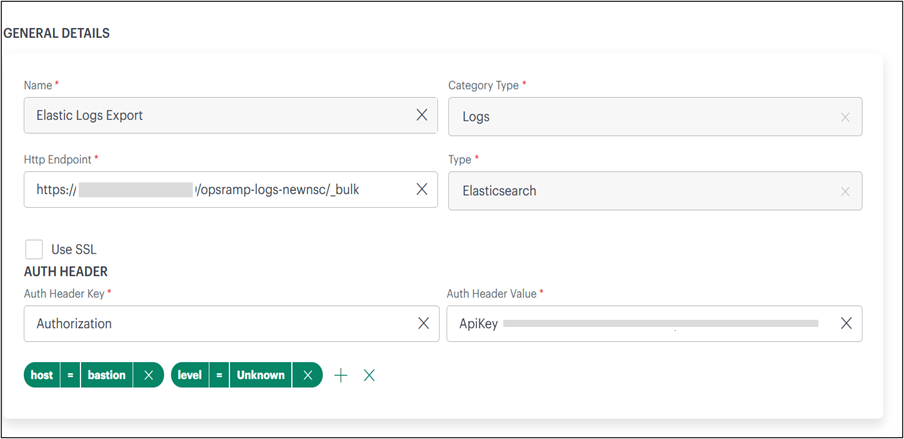
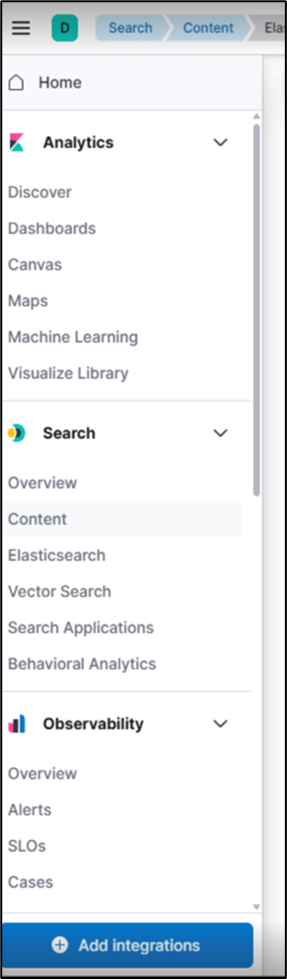
- Generate an API Key from Elasticsearch with permissions to write data using the Bulk API.
- Enter the API Key in the authentication field.
- Save the integration configuration.Now the configuration is saved and displayed on the configurations page after you save it.
The integration is installed and displayed on the INSTALLED INTEGRATION page. Use the search field to find the installed integration.
- Trigger log generation from monitored resources. The following screenshot refers to logs posted to Elasticsearch from HPE and viewed using Kibana.
×![]()