Dashboard
Dashboard Reporting Enhancements Enhancement
Dashboard reporting capabilities have been enhanced for Service Providers and Partners.
- If you are a Service Provider, you can now generate upcoming patch reports directly from the landing page to simplify patch planning and communication.
- If you are a Partner, you can now schedule dashboard exports for partner and selected client users to streamline report sharing across tenant environments.
Visualization and KPI Analytics Enhancements Enhancement
Dashboard visualization and KPI analysis capabilities have been enhanced to support larger datasets and time-based trend analysis.
- Honeycomb visualizations now support up to 500 data points for broader operational analysis across zones.
- OpsQL now supports daily, weekly, and monthly aggregation for KPI visualizations across alerts and resources.
These enhancements help you analyze trends, monitor KPIs, and improve operational reporting.
See Query Language Reference and Dashboards for more information.
Core Platform
Ticket-Based Access Control for Remote Console Sessions Enhancement
Administrators can now require a valid ticket ID before allowing SSH, RDP, or Telnet remote console access.
You can:
- Restrict remote access to users assigned to the ticket.
- Prevent access when tickets are closed or unavailable.
- Automatically record session details in the ticket for auditing and visibility.
This enhancement improves accountability, security, and audit tracking for remote sessions.
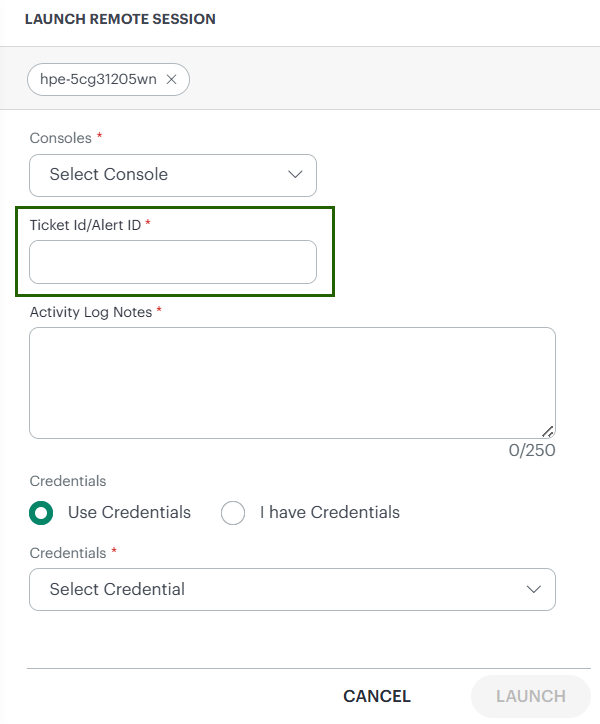
See Launch Remote Session for more information.
Resource Management
RSA Key-Based Support for FTP Credentials Enhancement
You can now use RSA key-pair authentication for File Transfer Protocol (FTP) credentials in addition to password-based authentication. Key features include:
- Key Pair Authentication Mode: Configure FTP synthetic credentials with RSA key pairs as an alternative to password authentication.
- Enhanced Security: Leverage public-key cryptography for secure FTP connections.
- Unified Credential Experience: FTP authentication capabilities now align with SSH credentials.
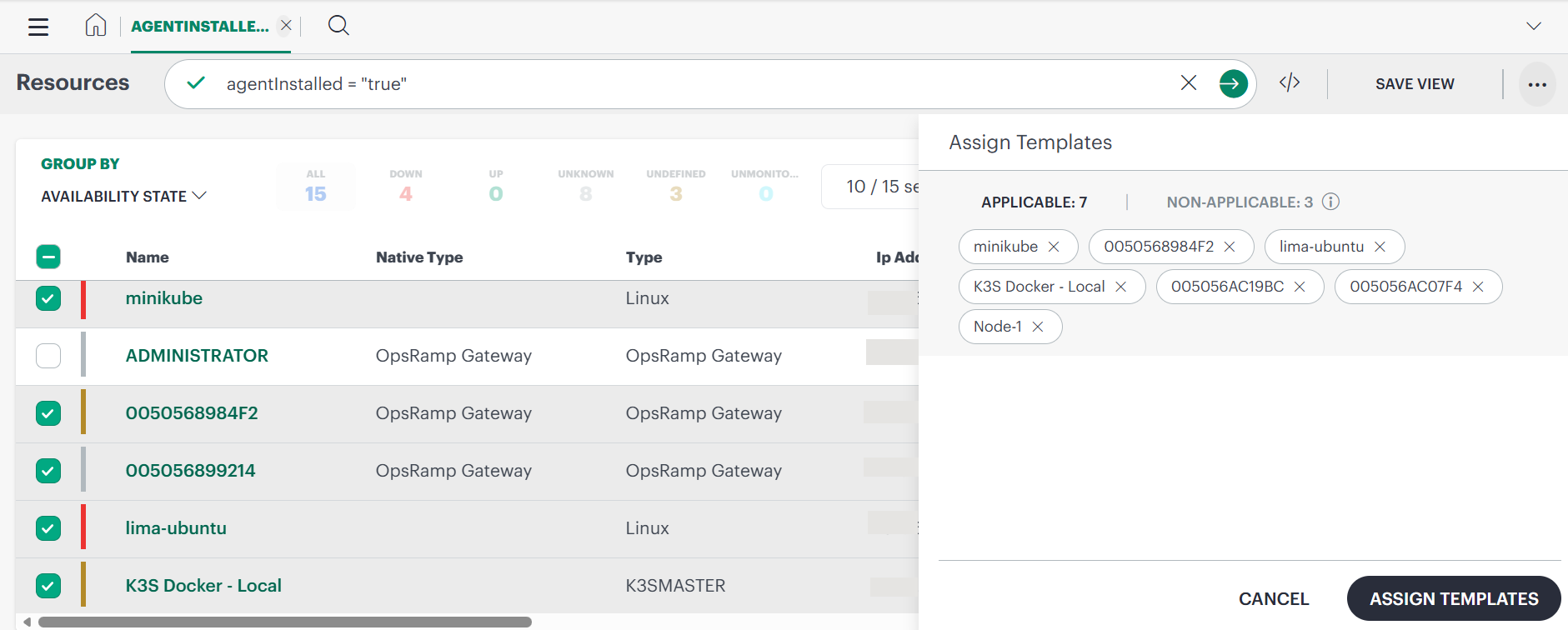
Integrated Resource Bulk Actions and Monitoring Enhancement
Resource monitoring configuration and bulk template assignment are now integrated directly into the Infrastructure UI. You can configure monitoring and perform bulk template assignments from a single interface without opening multiple tabs, helping streamline resource management workflows.
Event Management
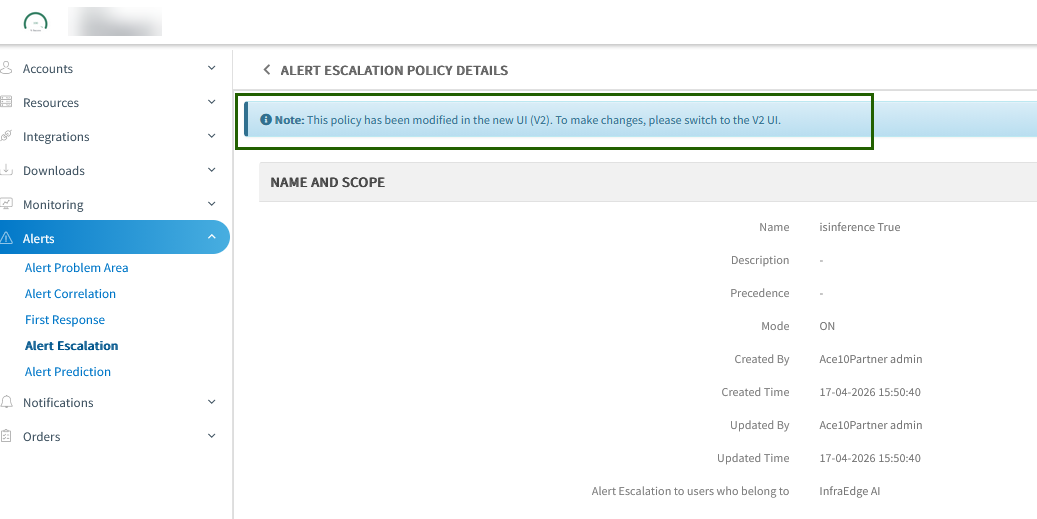
Alert Escalation Policy Management via New UI Enhancement
Alert escalation policies are now managed consistently across the old and new UI to prevent conflicting updates. If a policy is modified in the new UI:
- Editing is disabled in the old UI
- The policy becomes read-only in the old UI
- A message indicates that the policy is managed through the new UI
This maintains policy consistency and prevents conflicting changes across interfaces.
Accurate Alert Trigger Time Rendering Enhancement
Alert-triggered timestamps now preserve the complete incoming timestamp, including hours, minutes, seconds, and timezone information. It improves timestamp accuracy and ensures consistent alert rendering and visibility.
Log Management
Audit Support for Jobs History Enhancement
You can now audit job execution history, including job creation, updates, run status, and timestamps. This enhancement provides improved visibility into job lifecycle and execution details for better tracking and troubleshooting.
Monitoring Management
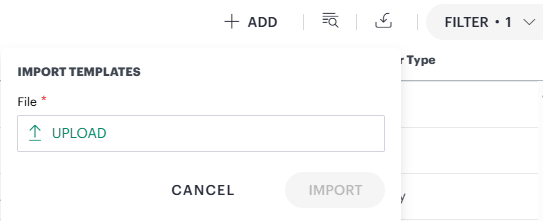
Support for Exporting and Importing Monitoring Templates New Feature
You can now export and import monitoring templates using the UI or API from Setup > Account > Monitoring > Templates. You can:
- Export a single template as a JSON file
- Export up to 10 templates as a ZIP file
- Import only individual templates using the UI or API.
Earlier, you had to import monitors before creating a template. Now, in Monitoring, templates do not depend on preconfigured monitors. When you import a template, the system automatically creates the required underlying metric groups (monitors).

Patch Management
Encrypted Password Parameters for Script Tasks Enhancement
Sensitive script task parameters, including passwords, are now encrypted. You can continue using existing workflows without changes while improving protection for sensitive data in both the UI and API responses.
Job Logs for Created Jobs Enhancement
A new Logs option is now available for created jobs. You can view job execution history, timestamps, and status updates to improve troubleshooting and operational visibility.
See Manage the Job for more information.
Network Configuration Backup Job Enhancements Enhancement
Network Configuration Backup Jobs now support only network devices when adding devices to backup jobs. This enhancement aligns device selection with supported backup capabilities and helps prevent unsupported configurations.
See Network Configuration Backup Job for more information.
Process Automation
Define Predefined Templates and Options Enhancement
You can now create predefined templates for process definitions and share them with partner or client users based on assigned roles. It helps standardize process setup, improve reuse, and accelerate configuration across teams.
Reporting Apps
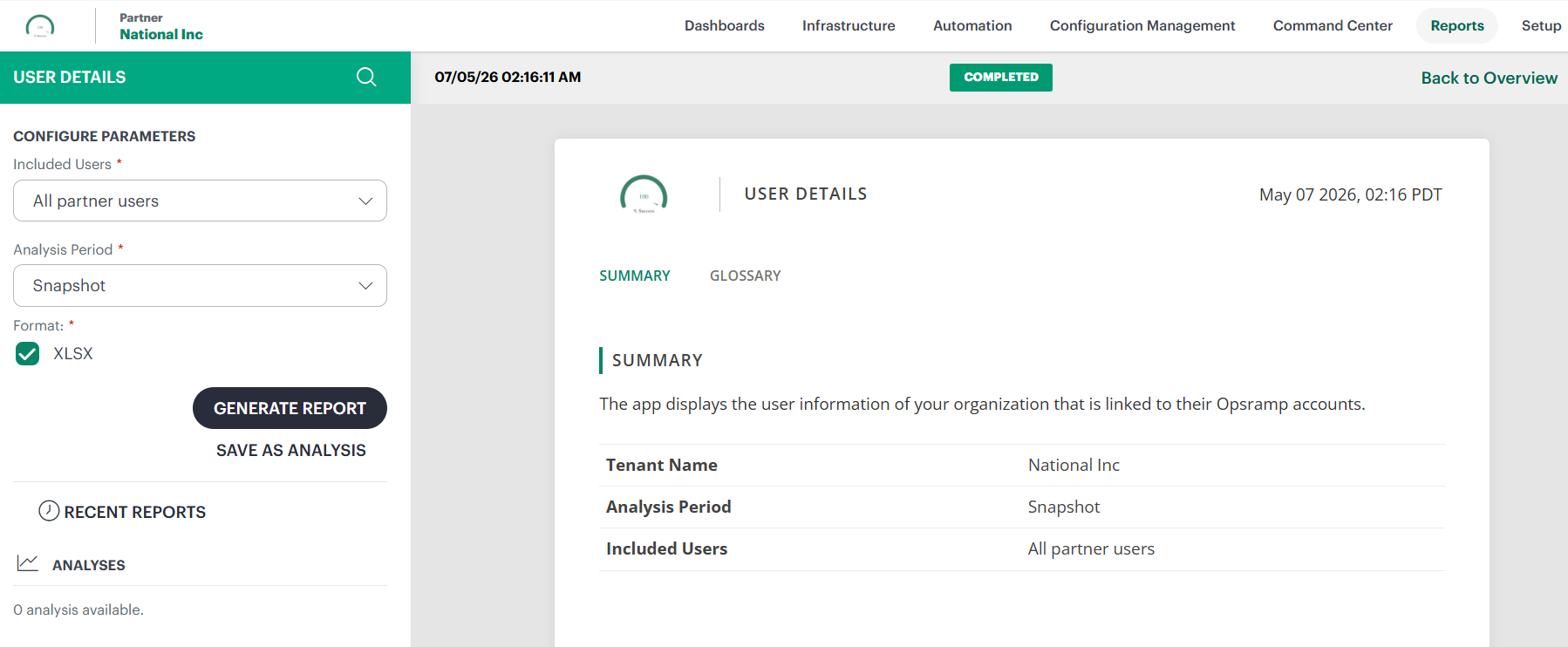
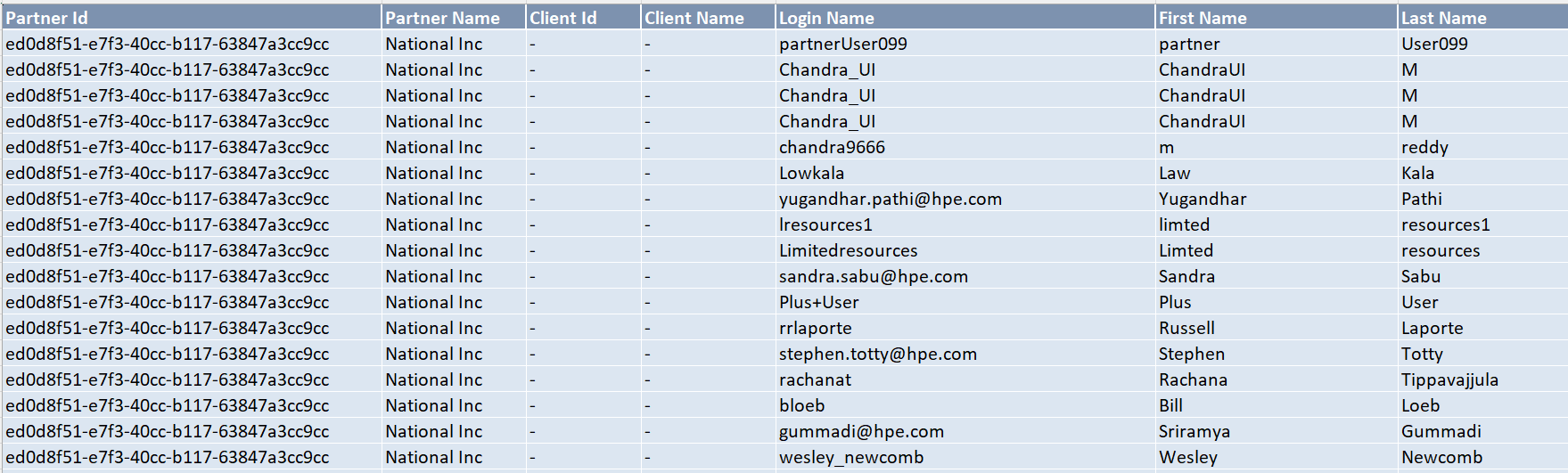
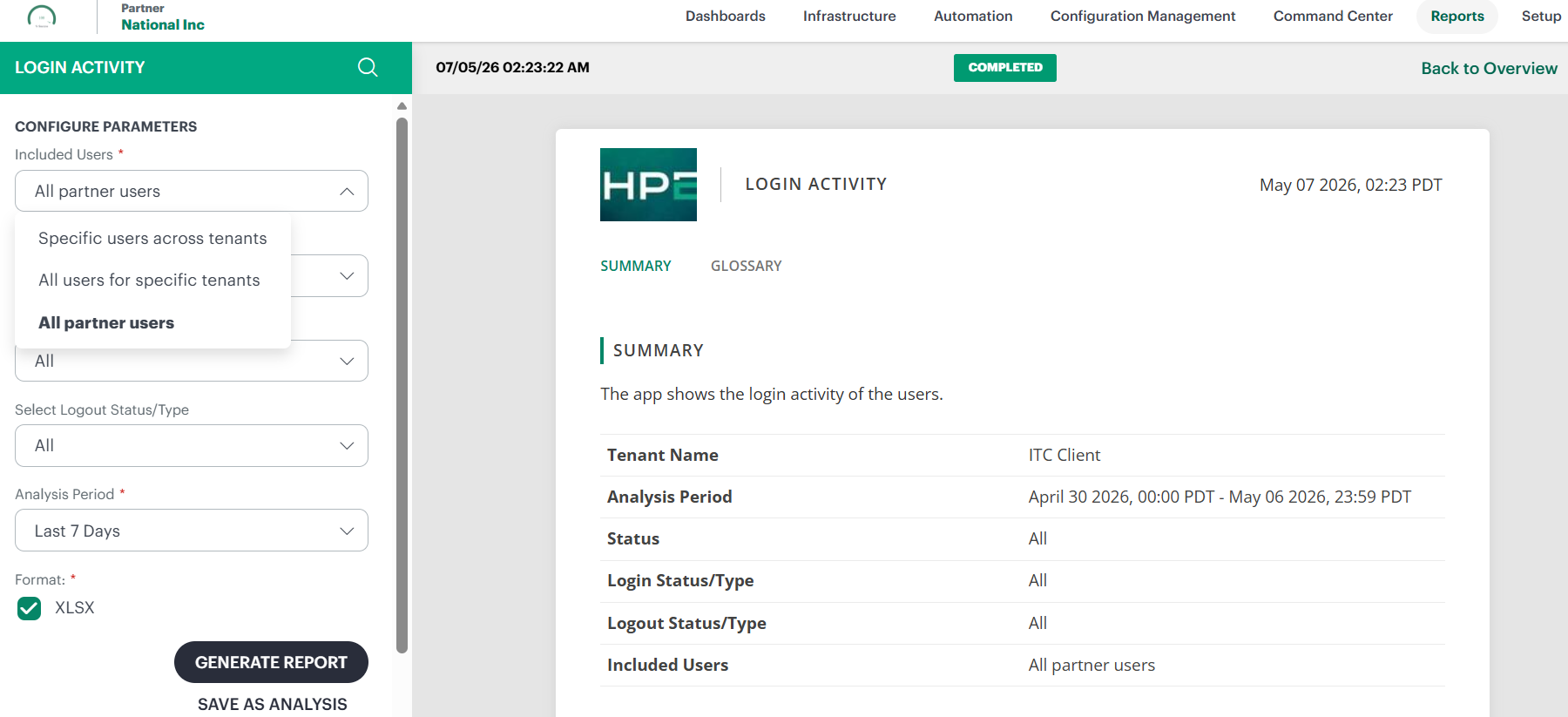
Partner User Filtering for User and Login Activity Reports Enhancement
An All Partner Users option is now available in the Included Users filter for User Details and Login Activity reports. You can generate reports for all users associated with a selected partner using a single selection, simplifying report generation and improving reporting efficiency.
New Fields in Topology Reports Enhancement
There are two new attributes, location and IP address, included in the Topology Report. These additions provide more detailed information about each node in the network.
Public Cloud
AWS Region Support Enhancement
Support has been added for the following AWS regions:
- ap-southeast-7
- ap-southeast-6
- ap-southeast-5
- ap-east-2
- mx-central-1
This expands regional coverage, enabling improved monitoring and event collection across additional AWS geographies.
AWS Event Collector Integration Enhancement
You can now ingest real-time AWS events into OpsRamp using the AWS Event Collector integration. The integration supports:
CloudTrail events for resource inventory updates CloudWatch alarms for alert generation AWS Health events for operational notifications
This enhancement improves visibility into AWS activity, resource changes, and service health events.
Integrations Framework
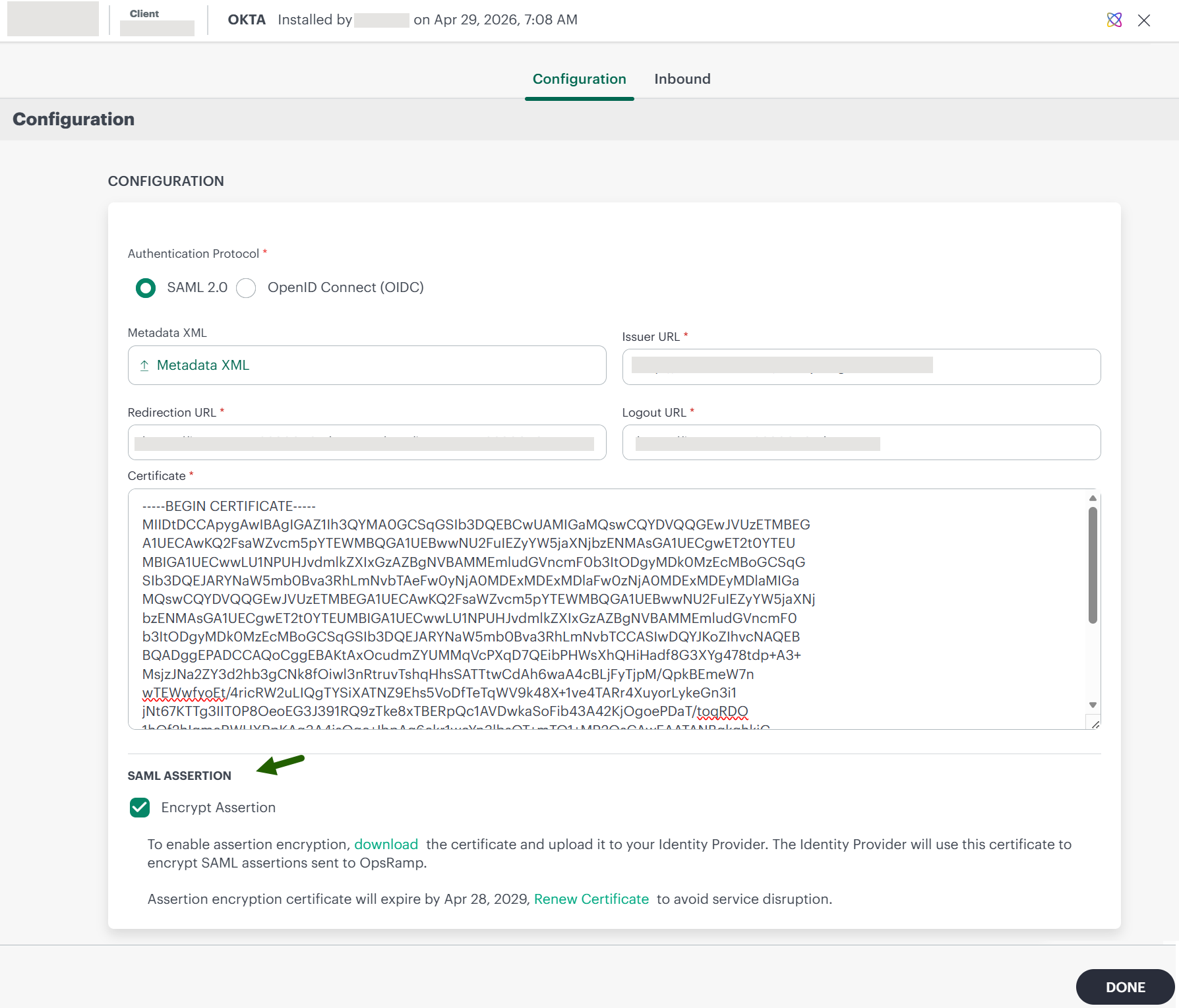
Okta Integration - Encrypted SAML Assertions Support Enhancement
SAML assertions from Okta can now be encrypted for enhanced security. You can enable encrypted SAML assertions in the SSO integration settings to protect sensitive identity attributes during authentication. This improves security while maintaining compatibility with existing unencrypted SAML configurations.
OpsRamp is proactively monitoring the SSO-related certificates. This will help administrators avoid authentication disruptions caused by expired certificates.
- IDP Certificate — The Identity Provider (IDP) certificate uploaded to OpsRamp for SSO/SAML authentication.
- Assertion Encryption Certificate — The certificate used for encrypting SAML assertions, which can be downloaded from OpsRamp.
When either of the above certificates is approaching expiration (within 60 days), the system automatically generates a proactive alert, giving administrators ample time to renew or replace the certificate before it expires.
Service Maps
Set Service Map as Default and Landing Page Enhancement
You can now configure a service map as your default view and optionally set it as your login landing page. From the Service Maps listing page, you can select a service map and set it as default. Additionally, by selecting Service Map as your homepage in profile settings, the platform directly opens the selected service map when you log in, instead of the default dashboard.
This enhancement helps you quickly access frequently monitored service maps and reduces the time spent searching and selecting them manually.
See Working with Service Maps for more information.
Updates in Upcoming Release
Tenancy and RBAC
Updated RBAC Permissions for Client Notes and Device Notes
RBAC permissions for Client Notes and Device Notes will be updated to provide more granular and consistent access control for Clients and Partners. With this update:
- You will no longer need Administration privileges to manage Client Notes
- Clients and Partners will use the same permission model for note management
- Device Notes will support create, edit, and delete actions through the Device_Edit permission
- Viewing notes will require only the corresponding _View permission
The updated permission model will simplify note management while improving consistency across Client and Partner user roles.
Updated permission requirements:
| Feature | Action | Permission Required |
|---|---|---|
| Client Notes | View | Client_View |
| Client Notes | Create, Edit, Delete | Client_Edit |
| Device Notes | View | Device_View |
| Device Notes | Create, Edit, Delete | Device_Edit |
This enhancement will help organizations manage notes without granting unnecessary administrative access and provide full Device Notes management capabilities for authorized users.
Action Required: The update will take effect automatically after upgrade. Administrators should verify that the required Client_Edit, Client_View, Device_Edit, and Device_View permissions are assigned to appropriate roles.