Introduction
First Response automatically executes predefined actions when specific alerts are received, enabling immediate response to critical situations and standardizing initial response procedures across your organization.
What is Alert First Response?
Alert First Response is an automation capability that:
- Triggers immediate actions when specific alert conditions are met
- Executes predefined workflows for consistent response procedures
- Integrates with external systems for comprehensive automation
- Provides rapid response to critical alerts requiring immediate attention
- Standardizes procedures across teams and environments
Key Benefits
Faster Response Times
- Immediate action: Automated response within seconds of alert generation
- Consistent execution: Standardized procedures every time
- Reduced MTTR: Faster problem resolution through automation
- 24/7 availability: Automated response even when teams are unavailable
Improved Reliability
- Error reduction: Eliminates human error in routine procedures
- Procedure compliance: Ensures standard procedures are followed
- Audit trails: Complete tracking of automated actions
- Consistent quality: Same high-quality response every time
Operational Efficiency
- Resource optimization: Frees teams to focus on complex issues
- Cost reduction: Reduces manual intervention requirements
- Scalability: Handles high alert volumes automatically
- Knowledge preservation: Codifies expert knowledge in automation
View First Response Policies
- Navigate to Setup > Account > Alert Policies to open the Command Center AIops Overview page.
- From the POLICIES dropdown, select First Response. Alternatively, you can also navigate to the First Response policy page by selecting First Response from Policy Modes or Policy Types.
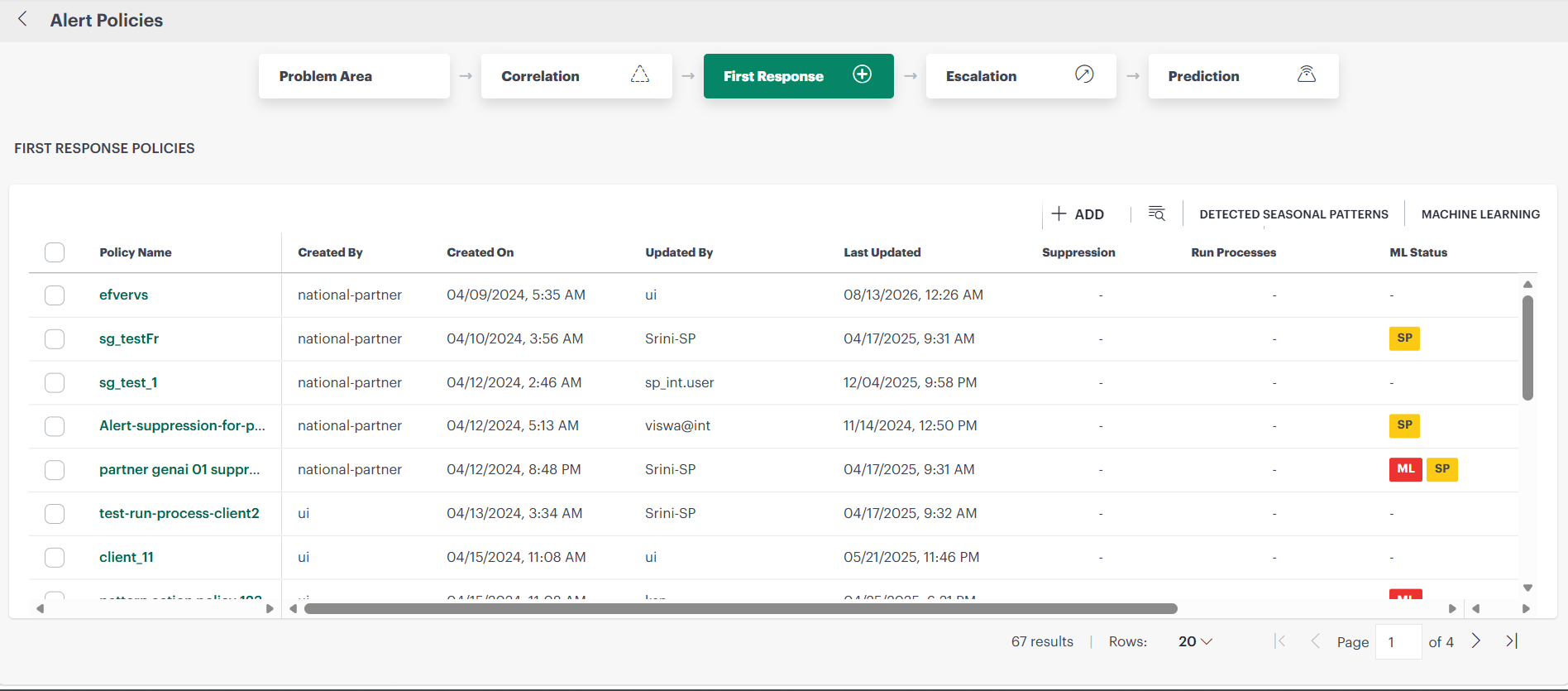
Each first response policy contains the following information:
| Attribute | Description |
|---|---|
| First Response Policy Name | Name of the first response policy. |
| Last Updated By | Name of the user who last modified the policy. |
| Last Updated Time | Time the policy was last modified. |
| Number of Suppressions | Indicates the number of suppressed alerts.Note
|
| Number of RunProcesses | Indicates the number of alerts on which the processes has been executed.Note
|
| ML Status | Indicates the Machine Learning status. |
| Mode | You can select supported policy modes from the drop-down list. |
Policy modes
The following policy modes are supported:
| Policy Mode | Description |
|---|---|
| ON | The policy drives automated actions on alerts. |
| OFF | The policy is inactive and does not affect alerts. You can use this mode to review a newly defined policy before choosing one of the other modes. |
| Recommend | The policy creates a recommendation for actions that you should take on the alert. Recommendations are based on learned patterns in historical alerts. The recommendation includes a link to take the action. |
| Observed | This mode permits you to simulate a policy without affecting alerts. The policy creates an observed alert, which simulates the original alert. The observed alert shows the actions that would be taken on the original alert if the policy were in On mode. The observed alert includes a link to the original alert. |
| Recommend and Observed modes apply to incident actions. | |