Alert Problem Area
Alert Problem Area policies extract consistent problem-area values from alert content using regex-based rules. These extracted values improve correlation quality, triage consistency, and downstream automation behavior.
What you can do
- Define regex extraction rules for alert attributes.
- Scope rule execution with resource and query filters.
- Create multiple extraction rules for different alert patterns.
- Improve normalized problem identification for operations workflows.
For step-by-step policy creation details, see Create an Alert Problem Area Policy.
View Alert Problem Area Policies
- Navigate to Setup > Account > Alert Policies to open the Command Center AIops Overview page.
- From the POLICIES dropdown, select Problem Area. Alternatively, you can also navigate to the Problem Area policy page by selecting Problem Area from Policy Modes or Policy Types.
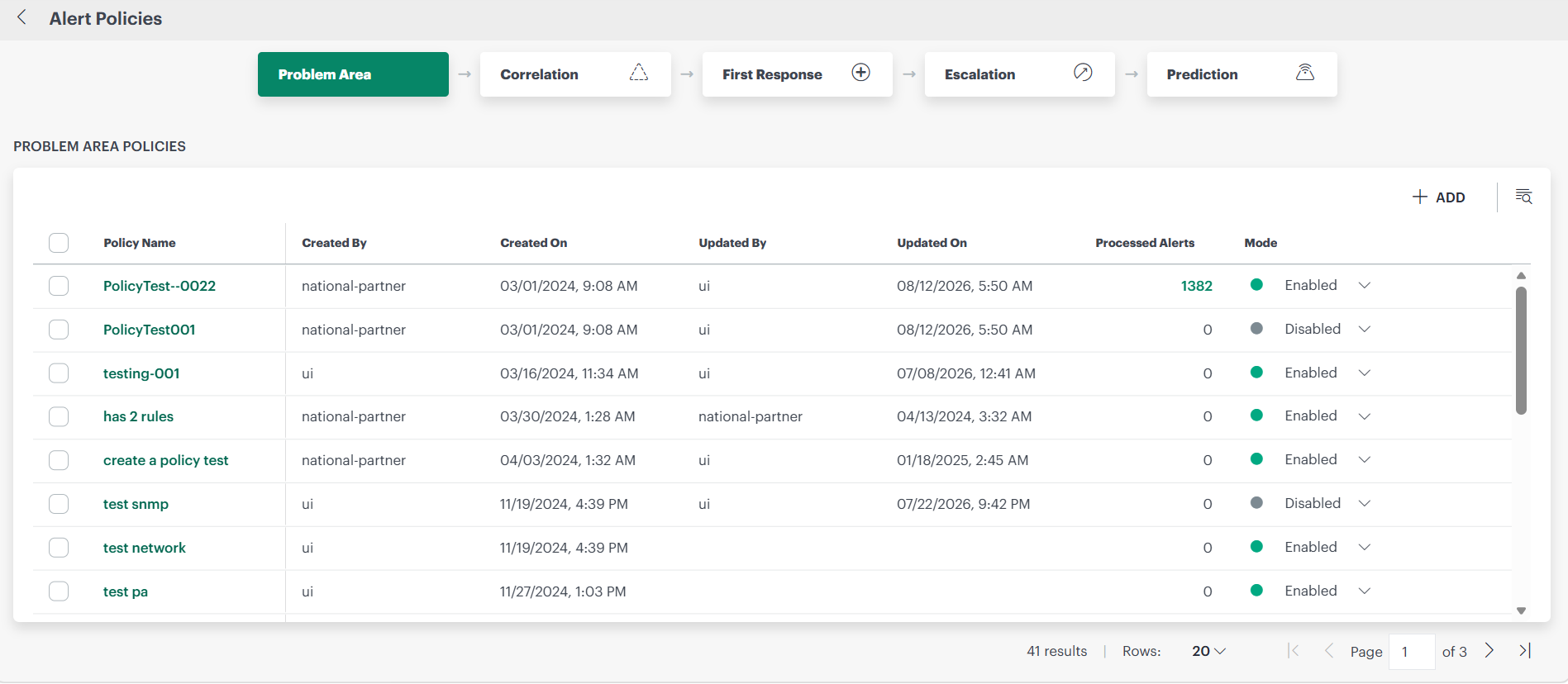
Each problem area policy contains the following information:
| Attribute | Description |
|---|---|
| Policy Name | Name of the alert problem area policy. |
| Created By | Name of the user who created the policy. |
| Updated By | Name of the user who last modified the policy. |
| Last Updated Time | Time the policy was last modified. |
| Processed Alerts | Indicates the number of alerts on which the problem area policy extracted the problem area from the alert metric. |
| Mode | Enabled, ON or OFF. |