Alert Prediction
Alert Prediction uses seasonality analysis to identify recurring patterns and proactively surface likely future alert events. This helps teams move from reactive response to preventive operations.
What you can do
- Configure seasonality windows for pattern detection.
- Enable automatic prediction-alert generation for newly discovered patterns.
- Scope learning and prediction with resource and query filters.
- Review and retrain policy behavior as needed.
For step-by-step policy creation details, see Create an Alert Prediction Policy.
View Alert Prediction Policies
The Prediction Policies page lists all configured alert prediction policies.
Access the Alert Prediction Policies Page
- Navigate to Setup > Account > Alert Policies to open the Command Center AIops Overview page.
- From the POLICIES dropdown, select Prediction. Alternatively, you can also navigate to the Prediction policy page by selecting Prediction from Policy Modes or Policy Types.
The Prediction Policies page is displayed.
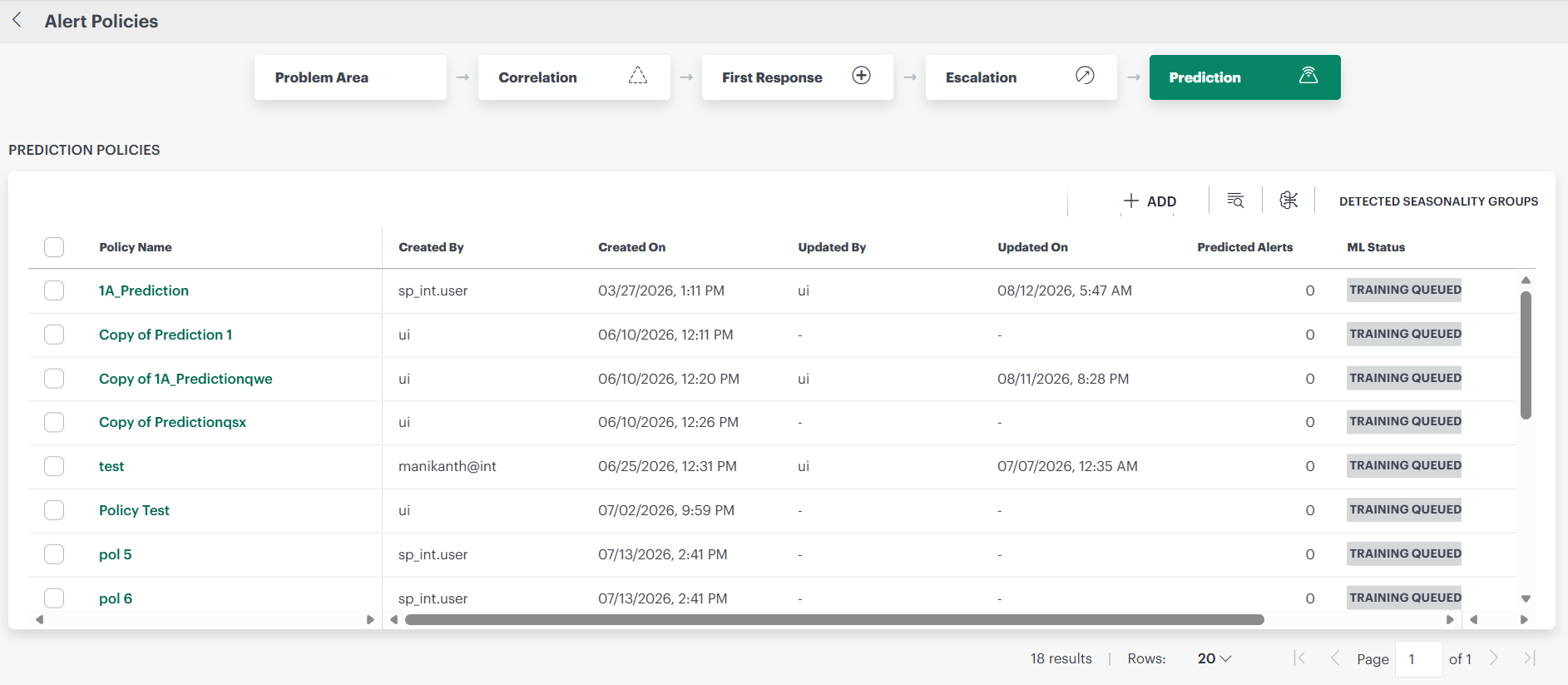
You can select the number of policies to display per page.
Alert Prediction Policy Attributes
Each policy includes the following information:
| Prediction Policy Attribute | Description |
|---|---|
| Policy Name | Name assigned to the alert prediction policy. |
| Created By | The user who created the alert prediction policy. |
| Updated By | The user who last updated the alert prediction policy. |
| Last Updated Time | The last date and time the alert prediction policy was updated. |
| Predicted Alerts | The current number of predicted alerts.Click the number to view the Predicted Alerts page. |
| ML Status | One of the following:
|
| Mode | Enabled, ON or OFF. |
- You can select Train Now to train the selected alert prediction policy.