You can edit SNMP trap definitions to customize how incoming traps are interpreted and converted into alerts. Editing allows you to modify severity, conditions, and alert content to align with your monitoring requirements.
Note
Trap definitions can be edited only within the current scope. Only trap definitions available in your current scope (for example, Client) can be edited.
Trap definitions inherited from higher scopes (such as Global) are read-only. To modify such traps, you must first copy them into your scope.
Before you begin
- Ensure the trap definition is available in your current scope
- If the trap is defined in a higher scope, copy it before editing
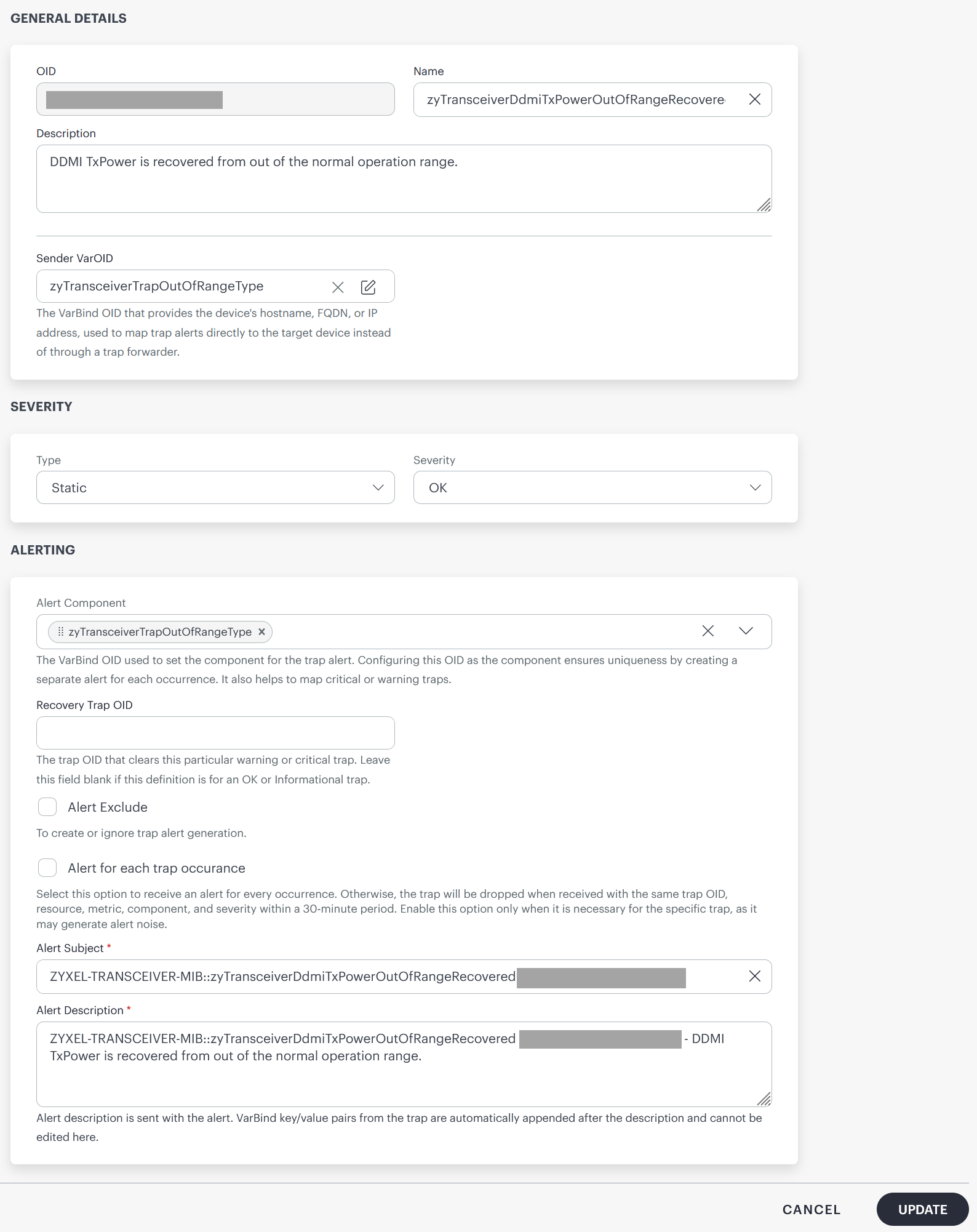
Edit a trap definition
- In the SNMPs Traps tab, locate the trap definition you want to edit.
- Click the three-dot menu (more options) next to the trap definition.
- Click View Details.
- You can update the following fields:
| Parameter | Description |
|---|---|
| Name | The display name of the trap definition. This name is used to identify the trap within the system. |
| Description | A brief description of the trap. Helps provide context about the condition or event represented by the trap. |
| Sender VarOID | Select the VarBind OID that identifies the source device (such as hostname, FQDN, or IP address). Used to map incoming traps directly to the corresponding resource. |
| Severity Type | Defines how severity is assigned to the trap. The options available are:
|
| Severity | Select the severity level assigned to the trap. It is used to indicate the importance of the event. The available options are:
|
| Alert Component | Select the VarBind OID used to define the alert component. Helps uniquely identify alerts and can create separate alerts for different component values. |
| Recovery Trap OID | Enter the OID of the trap that indicates recovery or resolution for this alert. When received, it clears or resolves the corresponding alert. |
| Alert Exclude | When enabled, prevents this trap from generating alerts. Useful for filtering out low-value or noisy events. |
| Alert for each trap occurrence | When enabled, generates an alert for every occurrence of the trap. When disabled, duplicate traps may be suppressed based on deduplication logic. |
| Alert Subject | Enter the subject line of the generated alert. Typically includes the trap name and OID. |
| Alert Description | Enter the detailed message included in the alert. Additional VarBind key-value pairs from the trap are automatically appended and cannot be edited. |
- Save the changes. The updated trap definition is applied to incoming traps and affects alert generation based on the new configuration.