After onboarding SNMP traps, you can manage and customize how they’re processed and converted into alerts. OpsRamp provides a unified interface to view, modify, and manage trap definitions across different scopes.
You might need to manage SNMP traps when you want to:
- Onboard traps for new devices or vendors
- Customize alert behavior for specific traps
- Apply different configurations for different environments
- Remove unused or noisy trap definitions
- Reuse or migrate trap configurations across environments
Note
Changes in the SNMP trap (add, edit, copy, delete traps) aren’t immediate. Gateways sync every 8 hours, so updates may take up to 8 hours to appear on tenant gateways.Tasks in SNMP trap management
You can perform the following tasks when working with SNMP traps:
View and search traps
- View all SNMP traps across scopes.
- Filter and search traps.
- Filter: The Filter option allows you to filter the SNMP traps based on scope, MIB Module, Trap Exclude.
To filter SNMP traps:- Click Filter.
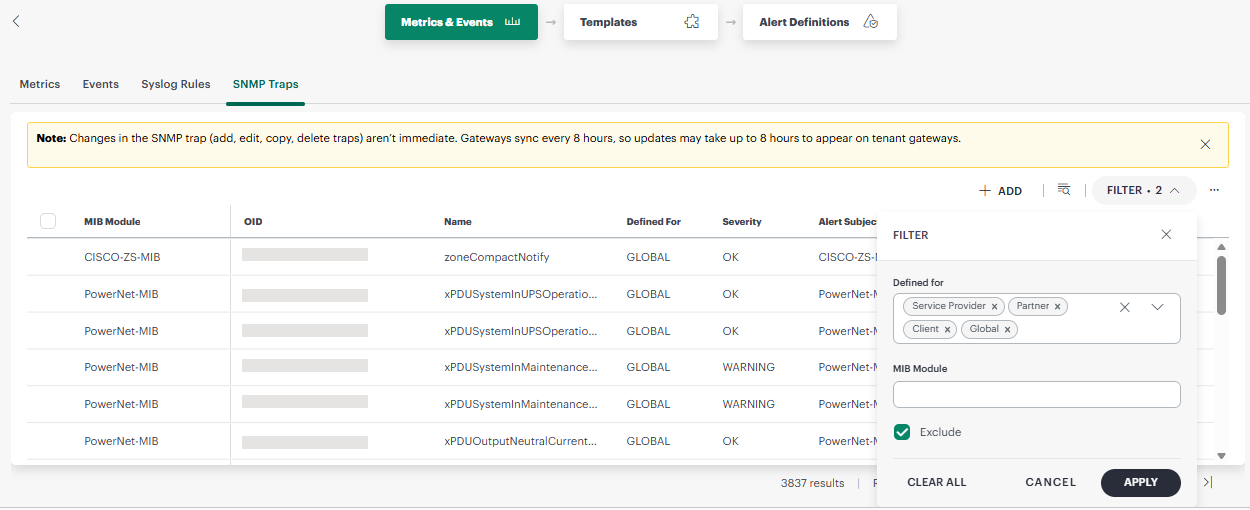
- Under Defined for, select one or more scopes to filter by, such as Global, Service Provider, Partner, or Client.
- Enter a MIB Module name to filter traps that belong to a specific MIB module.
- Select the Exclude checkbox to list only the traps that are excluded from generating alerts in OpsRamp. Leave it unselected to view all traps, regardless of their exclude status.
- Click Apply to apply the filter. The filtered results appear.
- Click Filter.
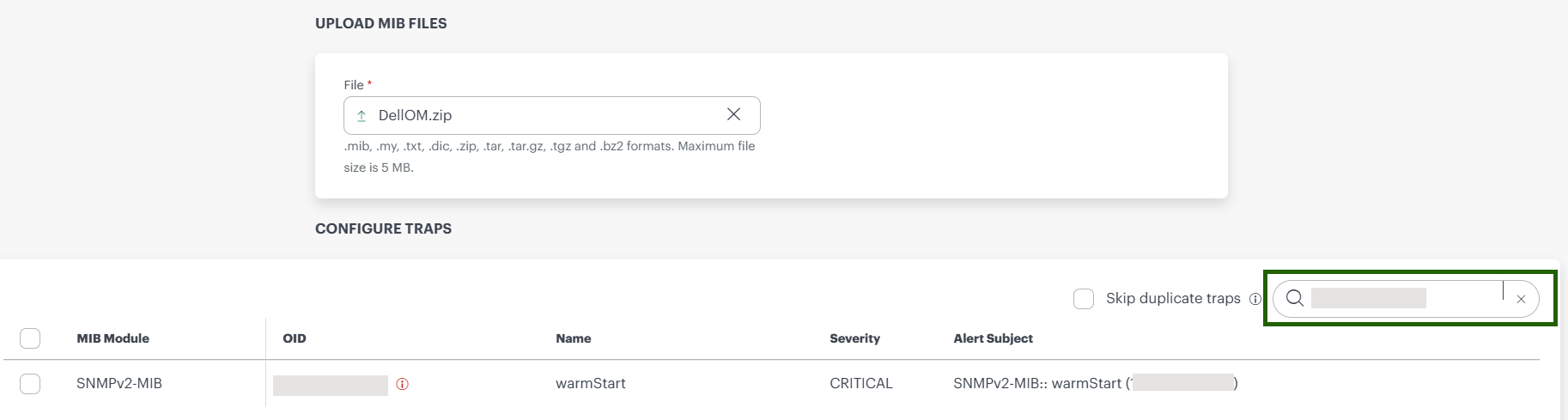
- Search: You can search using Trap name or OID.
- Filter: The Filter option allows you to filter the SNMP traps based on scope, MIB Module, Trap Exclude.
- View detailed information for a selected trap.
Add and import traps
- Upload MIB files to add new trap definitions
- Import trap definitions using JSON files
Modify and manage traps
- Edit trap definitions to customize behavior
- Configure severity, conditions, and alert settings
- Copy trap definitions from higher scopes (for example, Global) to your scope
- Remove individual or multiple trap definitions from the current scope
- Export selected traps or all traps in the current view as a JSON file
×![]()