You can reset gateway-admin credentials for an OpsRamp NextGen Gateway directly from the OpsRamp platform. You do not need host-level access to the gateway.
This feature is available on the Collector Profiles Details screen and applies only to ISO-deployed NextGen Gateway deployments.
Use this feature to:
- Regain access if you forget or lose
gateway-admincredentials. - Restore administrative access quickly.
- Reset credentials without host-level access to gateway nodes.
Procedure
To reset the gateway-admin credentials, follow these steps:
- Log in to the OpsRamp portal.
- Go to Setup > Account > Collector Profiles.
- Select the required NextGen Gateway Collector Profile.
- Click Actions (three dots), and then click Reset Password.
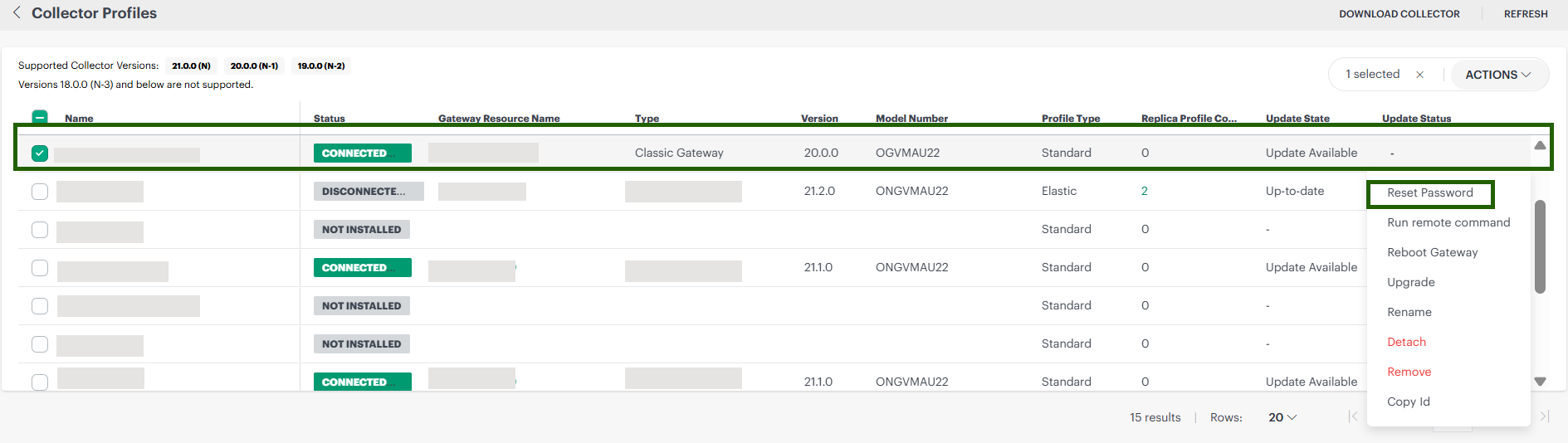
- In the confirmation dialog that appears, click Reset Password.
Alternate Method
- Complete steps 1 and 2 in the previous procedure.
- Click the required NextGen Gateway Collector Profile to display the Collector Profiles Details screen.
- Click Actions > Reset Password.
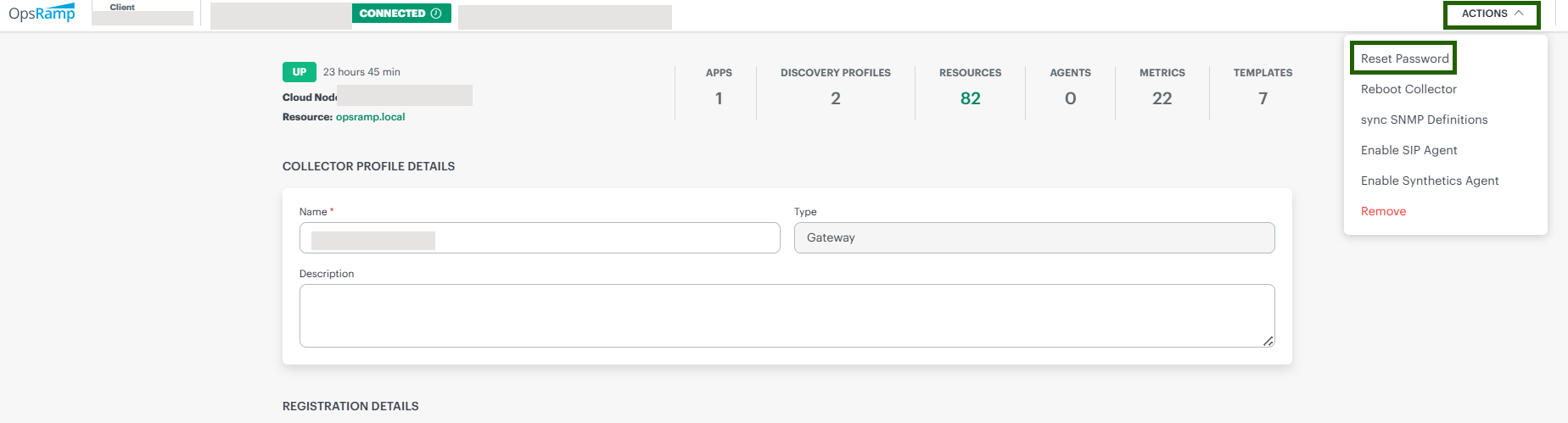
When you reset the password, the platform starts a reset operation across all nodes in the gateway cluster.
×![]()