Gateway Remote Commands
In addition to standard OpsRamp Agent remote commands, OpsRamp supports a set of gateway-specific commands that you can run through the OpsRamp Agent installed on NextGen Gateways. These commands support gateway-level diagnostics, including Kubernetes pod management and gateway service monitoring.
Note
These commands are available to Partner and Client user types.Required Permissions
The following permissions are required to view and run these commands.
| Category | Permission Type | Permissions |
|---|---|---|
| Account Administration | Devices | Manage |
| Collectors | Manage Management Profile | Manage |
| Remote Access | Commands | Allow To Run |
NextGen Gateway Commands
These commands let you inspect and manage Kubernetes resources that run on a NextGen Gateway.
Note
You can run these commands only on Resources monitored by the OpsRamp Agent installed on a NextGen Gateway.| Remote Command | Description |
|---|---|
| Kubectl Get Pods | Lists all Kubernetes pods running on the NextGen Gateway, including status, restart count, and age. |
| Kubectl Get Services | Lists all Kubernetes services on the NextGen Gateway, showing service type, cluster IP, and exposed ports. |
| Kubectl Get PVC | Lists all Kubernetes Persistent Volume Claims (PVCs) on the NextGen Gateway, showing storage capacity and binding status. |
| Kubectl Get Nodes | Lists all Kubernetes nodes on the NextGen Gateway, displaying node status, roles, and resource capacity. |
| Kubectl Top Pods | Displays real-time Central Processing Unit (CPU) and memory usage for each pod running on the NextGen Gateway. |
| Kubectl Top Pods NextGen Gw Containers | Displays real-time CPU and memory usage at the container level within NextGen Gateway pods, providing more granular resource visibility. |
| Kubectl Describe Pod NextGen Gw | Runs kubectl describe on the NextGen Gateway pod and provides detailed information, including events, resource limits, and container status. |
| Kubectl Describe Pod NextGen Gw Redis Master | Runs kubectl describe on the Redis Master pod within the NextGen Gateway and shows configuration and event history. |
| Kubectl Describe Node | Runs kubectl describe on the Kubernetes node that hosts the NextGen Gateway and shows node conditions, allocated resources, and running pods. |
| Kubectl Delete Pod NextGen Gw | Deletes a specified pod on the NextGen Gateway. Kubernetes automatically reschedules a replacement pod. Use this command to recover from a stuck or failed pod. |
| Show Recent NextGen GW Vprobe and TLS Logs | Retrieves the most recent vprobe and Transport Layer Security (TLS) logs from the NextGen Gateway. Select the number of log lines to retrieve. For example, 100 lines returns the last 100 lines from both logs. |
Execute Remote Commands for a NextGen Gateway in a Specific Kubernetes Namespace
You can execute supported remote commands for a NextGen Gateway deployed in a specific Kubernetes namespace.
This feature is useful in Kubernetes environments that host multiple NextGen Gateway deployments across different namespaces. When you specify a namespace, OpsRamp identifies the gateway pod running in that namespace and executes the selected command against that gateway instance.
If you do not specify a namespace, OpsRamp uses the default namespace behavior to maintain compatibility with existing workflows.
Supported Deployments
This feature applies to NextGen Gateway deployments that run on Kubernetes, including environments that use multiple namespaces for separate gateway deployments.
Prerequisites
Before you execute a remote command, ensure that:
- A NextGen Gateway is deployed in a Kubernetes cluster.
- The target namespace contains a running NextGen Gateway deployment.
- You have permission to execute gateway commands.
- You know the name of the target namespace.
Procedure
To execute a remote command for a NextGen Gateway in a specific Kubernetes namespace, follow these steps:
- Navigate to Infrastructure > Search.
- On the Resources page, click the gateway resource name.
- On the resource details page, click Actions > Execute Command.
- From the Command Name list, select a command.
- In the Namespace field, enter the Kubernetes namespace where the target NextGen Gateway is deployed.
- Click Execute Command.
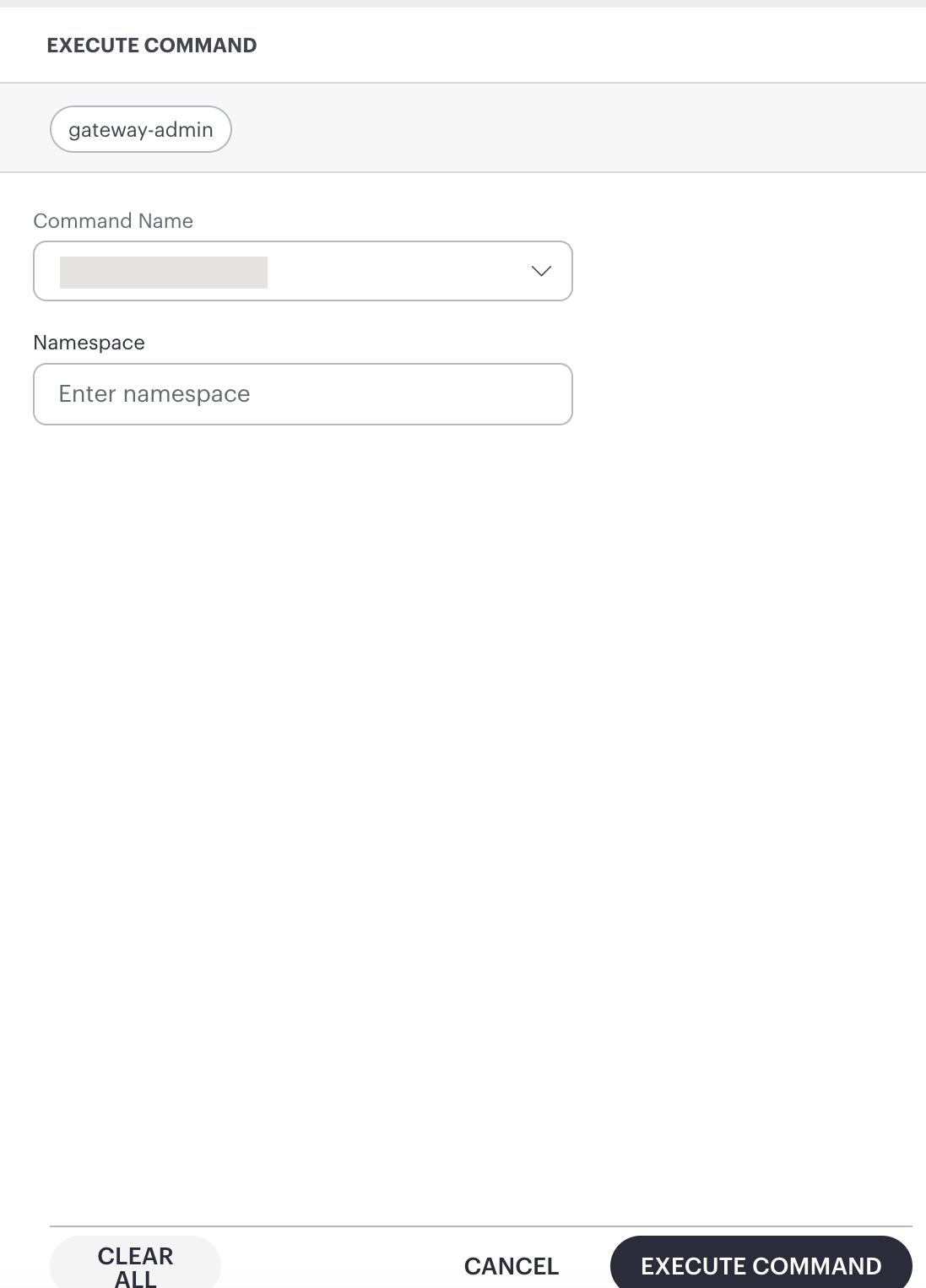
OpsRamp identifies the gateway pod in the specified namespace and executes the command against that gateway instance.
Default Namespace Behavior
The Namespace field is optional.
If you do not specify a namespace, OpsRamp executes the command by using the default namespace configuration.