Introduction
The Gateway Support Bundle provides diagnostic information that can be used to troubleshoot issues with the NextGen Gateway. You can generate the support bundle from the Terminal UI when diagnostic information is required for troubleshooting.
Generate Diagnostics
- Run the following command to open the Terminal UI:
opsramp-collector-start terminal-ui - Select Generate Diagnostics to create a diagnostic bundle.
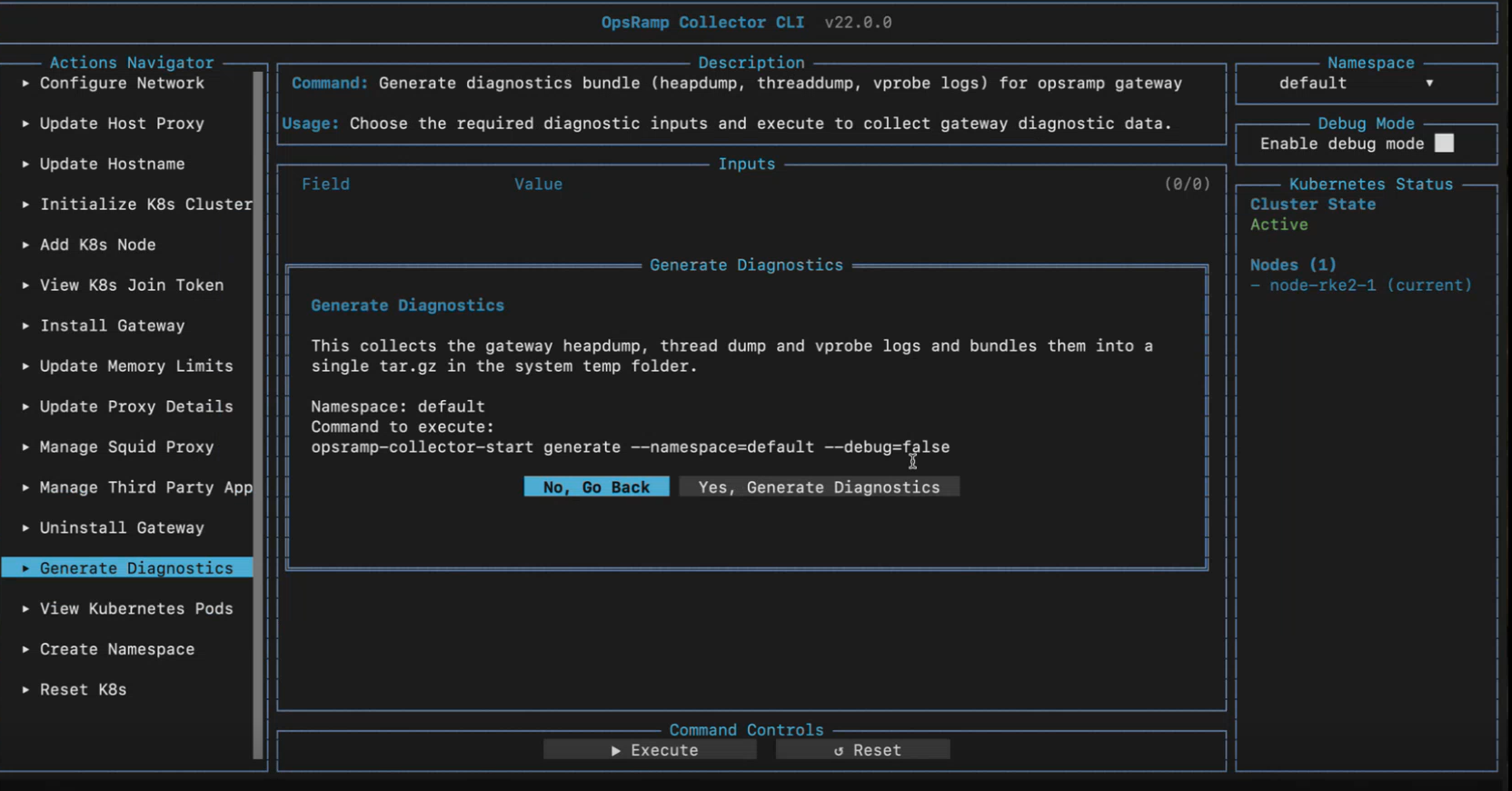
This action does not require user input fields.
Select Execute to save the entered information.
Generated Output
The diagnostic bundle includes:
- Heap dump
- Thread dump
- VProbe logs
The generated archive is stored in the system temporary directory.
- Press
ESCto close the Terminal UI.