This page explains how to identify and recover from the OpsRamp Gateway Read‑Only Mode alert. The issue can occur on Classic Gateway deployment and requires manual intervention.
Problem
You may receive the following alert:
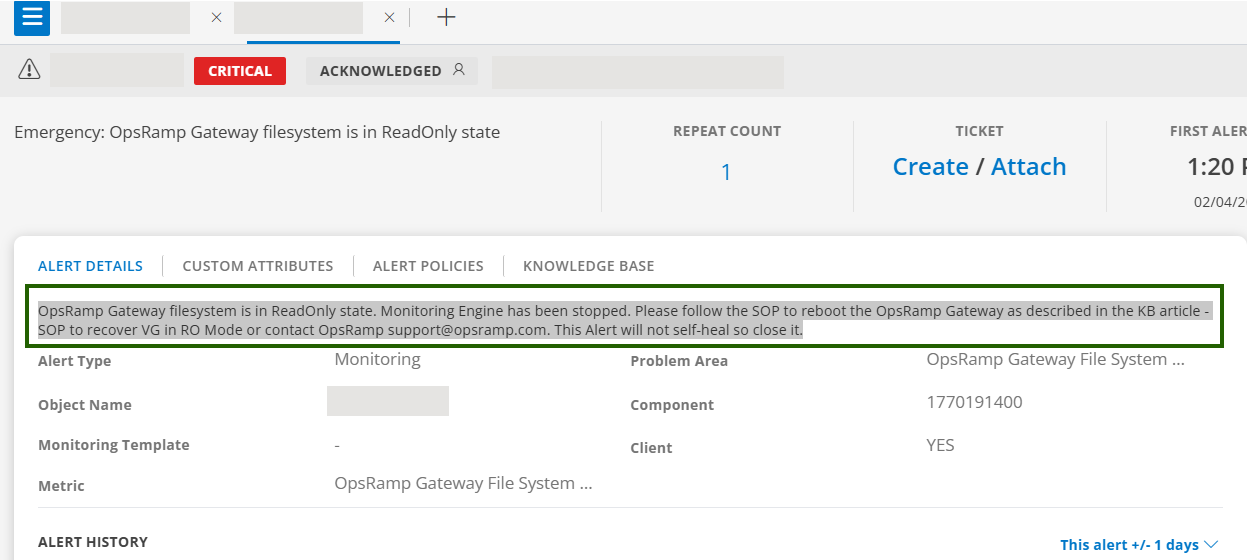
This alert is triggered when:
- The gateway filesystem is mounted as read‑only.
- The monitoring engine is stopped to prevent further issues.
- The alert does not clear automatically after recovery.
As a result,
- Monitoring data collection is interrupted.
- Gateway services that require filesystem write access may stop functioning.
- Manual recovery and alert closure are required.
Procedure
Verify the Read‑Only State
Run the following command on the gateway host or inside the gateway pod to check if the read-only condition exists:
touch /var/log/app/tmp/ro-test.$RANDOMRemediation – Classic Gateway
Check disk usage
df -hCheck system messages
dmesg | tail -n 200Free up disk space
- Rotate or truncate large log files under
/var/log and /var/log/app. - Remove unused temporary files as per standard cleanup practices.
- Recover the gateway
- Follow the document to recover VG in RO Mode.
- Reboot the gateway if required to remount the filesystem in read‑write mode.
- Validate:
Ensure the following command succeeds:
Confirm that the monitoring engine is running.touch /var/log/app/tmp/test
Best Practices
- Configure log rotation for
/var/logand/var/log/app. - Monitor disk space and inode usage on Classic Gateways.
- Ensure the underlying storage environment remains healthy.
FAQ
- Does the Read‑Only Mode alert clear automatically?
No. The alert does not self‑heal and must be closed manually after the issue is resolved. - Is a reboot required for Classic Gateway recovery?
In most cases, yes. If the filesystem is mounted as read‑only, a controlled reboot is required after freeing disk space and allow fsck if requested.
×![]()