Filters
This section of the document provides LOGQL general syntax and the related information. The search query consists of attributes, operators and a value. You can use the mouse or down-arrow key to highlight and select the attribute you want.
Example query syntax:
Example query result:
Note
You cannot use theline attribute for the first time. The line attribute allows you to search all your logs across the entire log body. For performance purposes, you can use line to search only after you have already added another filter to reduce the number of logs being searched.Switching between Basic QL and Advanced QL
Previously, switching between query modes could result in the loss of selected filters and query context, requiring users to recreate searches manually. To provide a seamless query-building experience, Log Management now preserves supported filters, operators, search criteria, and time range when switching between Basic QL and Advanced QL, enabling users to continue investigations without interruption.
Basic QL to Advanced QL
When you switch from Basic QL to Advanced QL, OpsRamp automatically converts the selected filters into an equivalent Advanced QL query. Since Basic QL supports only AND conditions between filters, the generated Advanced QL query contains only AND operators.
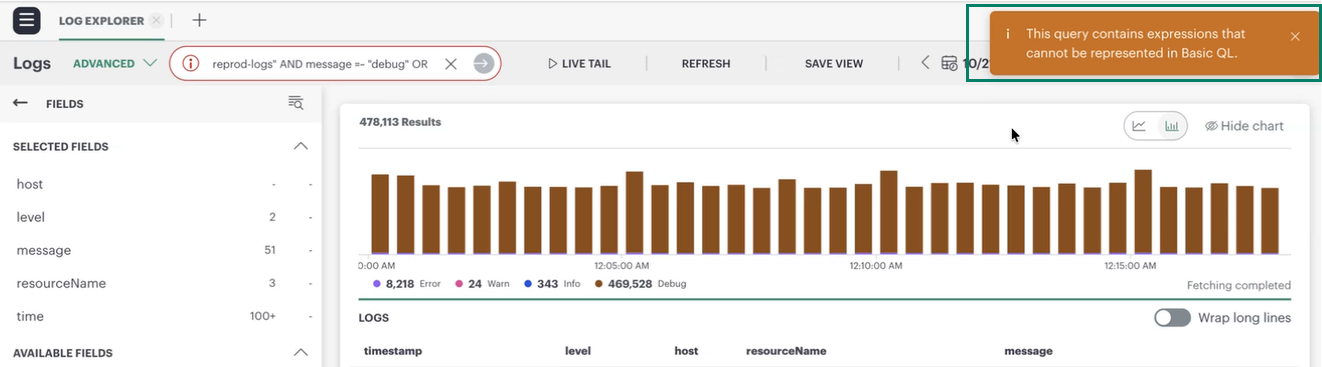
When switching from Advanced QL to Basic QL, only queries that can be represented using AND conditions are supported. If the Advanced QL query contains unsupported expressions such as OR, NOT, nested conditions, or other advanced query constructs, the query cannot be translated into Basic QL.
In such cases, OpsRamp displays the following message:
Information
This query contains expressions that cannot be represented in Basic QL.Users can continue working in Advanced QL or modify the query to use only supported AND conditions before switching to Basic QL.
Persisting Query Filters
Log Management preserves query context when switching between Basic QL and Advanced QL, ensuring that users can continue their investigation without losing previously configured search criteria.The following query attributes remain unchanged during query mode transitions:
- Selected filters
- Time range
- Search text
- Query state
- Applied operators
By preserving query context, users can move between query modes while maintaining the continuity of their search workflow and avoiding the need to recreate existing queries.