Overview
SNMP Resource Type Definitions enable you to standardize how network devices are discovered and monitored. This page provides a comprehensive guide to managing your SNMP definitions, from filtering and reviewing existing configurations to creating copies, making updates, and removing definitions as needed.
Filter SNMP Definitions
You can filter and search SNMP Resource Type Definitions to quickly locate specific configurations based on your requirements.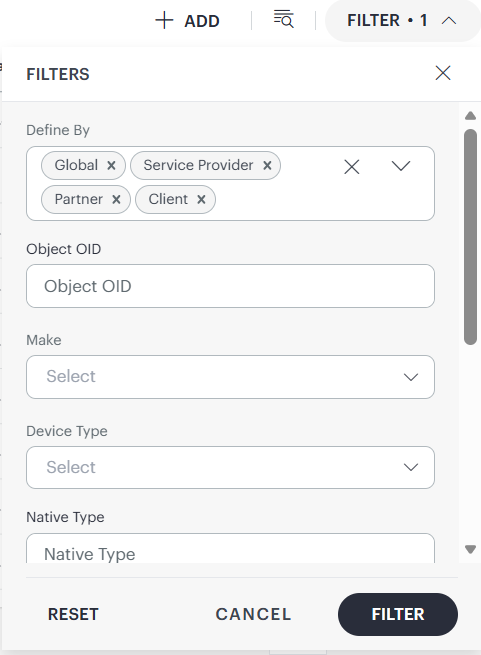
Follow these steps to filter definitions:
- Click FILTER on the SNMP Resource Type Definitions listing page.
- Use the following fields to filter definitions:
- Defined By
- Object OID
- Make
- Device Type
- Native Type
- Model
- Operating System
- Serial Number OID
- Firmware Revision OID
View SNMP Resource Type Definitions
The listing page displays all available definitions in a table format with columns for Object OID, Make, Model, Device Type, Operating System, Serial Number OID, Firmware Revision OID, and other attributes.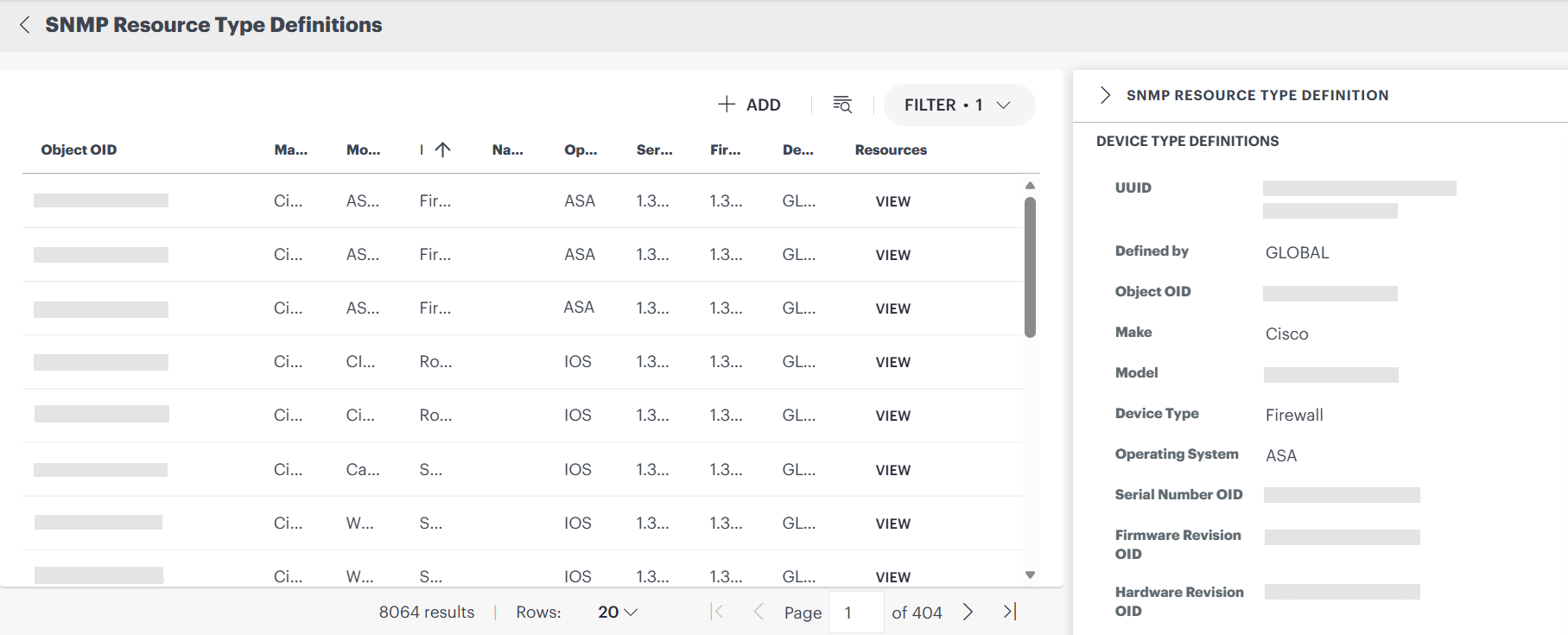
View Definition Details
When you click a row in the SNMP Resource Type Definitions table, a slide-out opens on the right side of the page and displays:
- Device Type Definitions: This section has UUID, Defined By, Object OID, Make, Model, Device Type, Operating System, Serial Number OID, Firmware Revision OID, Hardware Revision OID, Software Revision OID, and Review Status.
- SNMP OIDs for Network Interface Information: This section consists of fields like Number of Interfaces, Name, Alias, Index, Type, Speed, Operational Status, and Admin Status.
- Created and Reviewed Details: Information related to who created and updated the definition, along with timestamps.
Copy SNMP Resource Type Definitions
Note
- A Client user can clone Partner, Service Provider, and Global definitions only once for each definition in each scope, and only when the SNMP definitions do not have discovered SNMP resources based on those definitions.
Follow these steps to copy a definition:
- From the SNMP Resource Type Definitions listing page, search for the definition you want to copy.
- Hover over the definition and click the action menu.
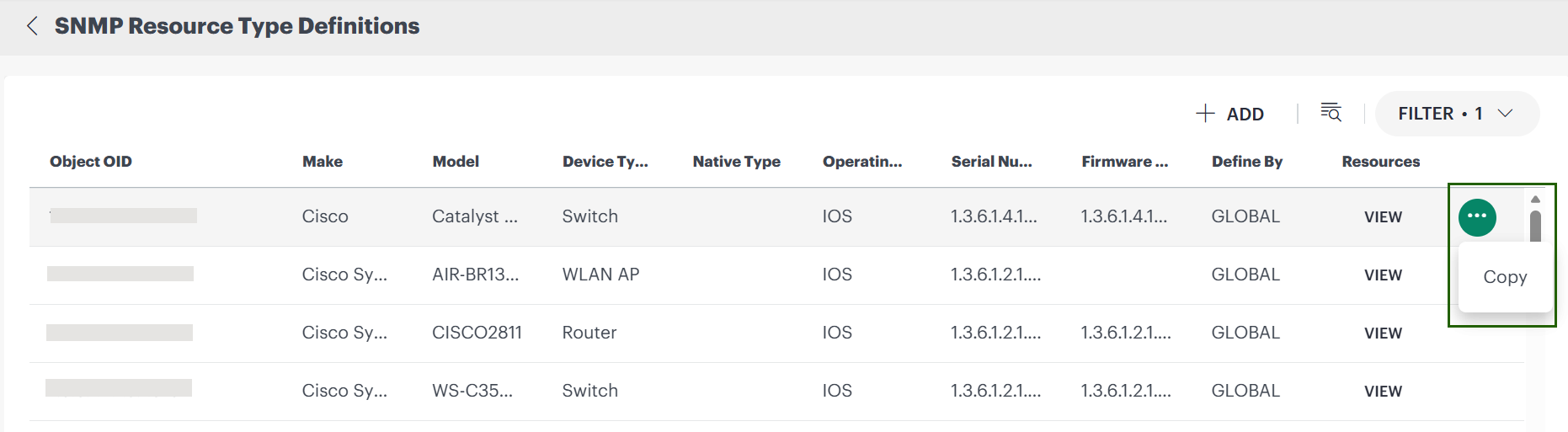
- Select Copy. The definition page populates with the selected SNMP data.
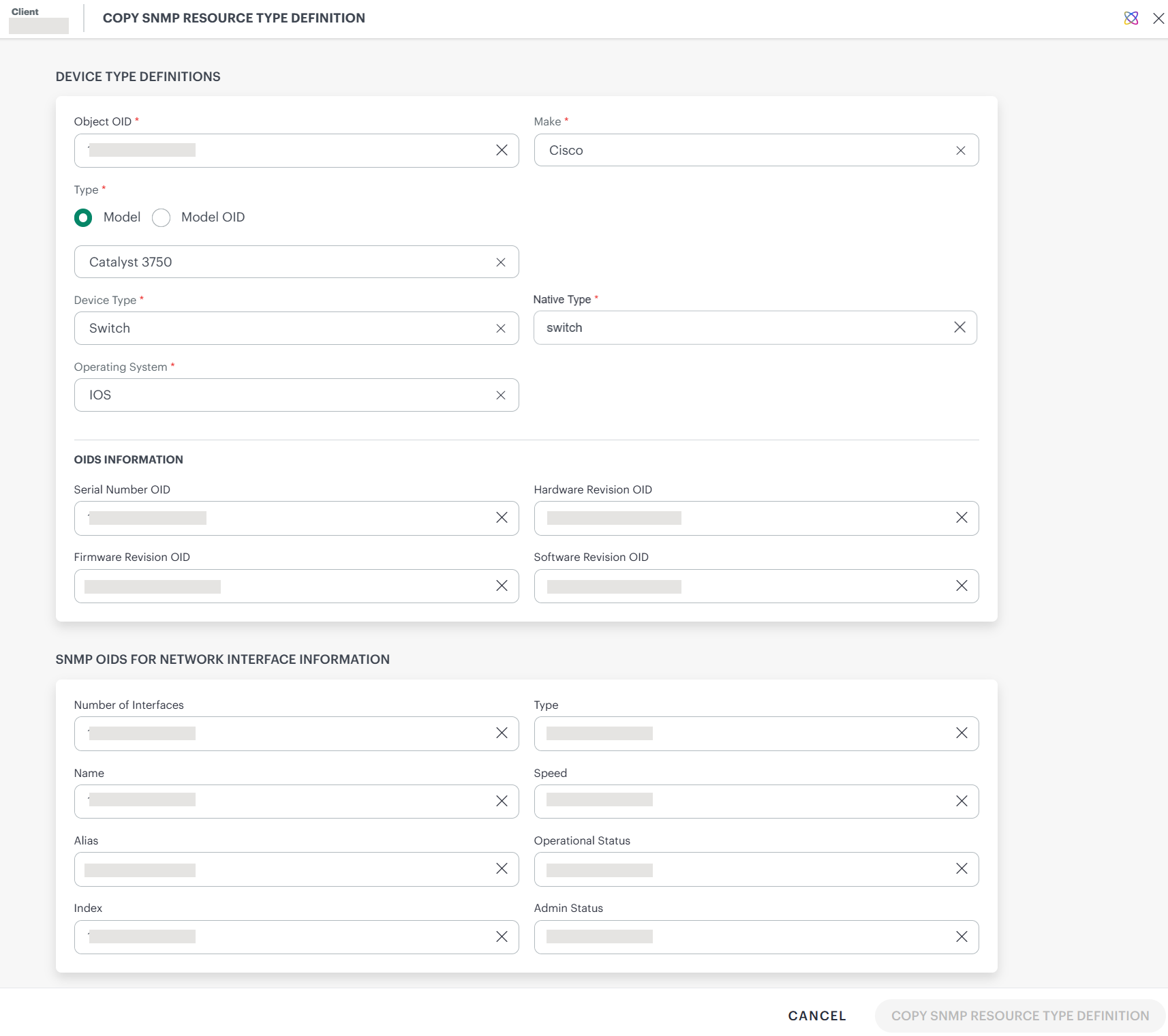
- Make the necessary modifications.
- Click COPY SNMP RESOURCE TYPE DEFINITION.
Edit SNMP Resource Type Definitions
Note
- You can edit SNMP definitions only within the currently selected scope.
- You can edit an SNMP definition only if that definition has no discovered resources.
Follow these steps to edit a definition:
- From the SNMP Resource Type Definitions listing page, search for the definition you want to edit within the current scope.
- Hover over the definition and click the action menu.
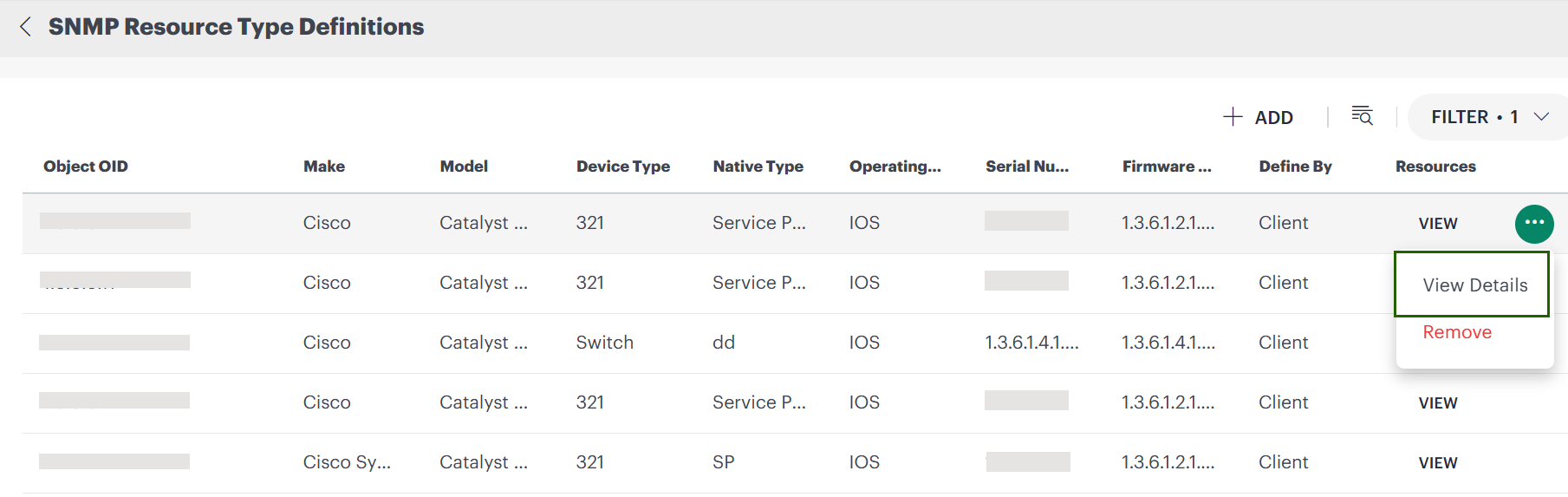
- Select View Details. The definition page populates with the selected SNMP data.
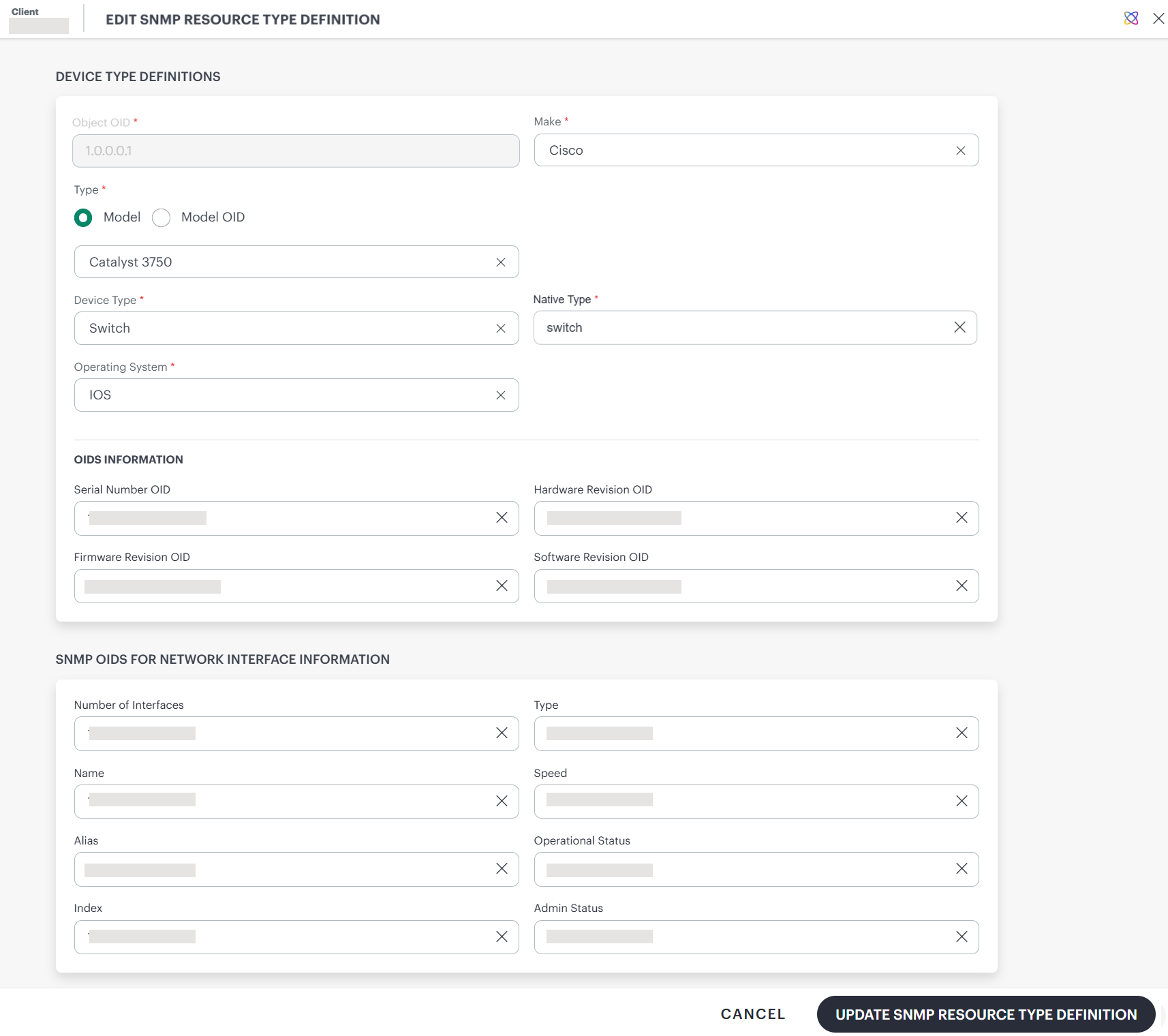
- Make the necessary modifications. The Object OID field is read-only.
- Click UPDATE SNMP RESOURCE TYPE DEFINITION.
Delete SNMP Resource Type Definitions
Note
- You can delete SNMP definitions only within the currently selected scope.
- You can delete an SNMP definition only if that definition has no discovered resources.
Follow these steps to delete a definition:
- From the SNMP Resource Type Definitions listing page, search for the definition you want to delete within the current scope.
- Hover over the definition and click the action menu.
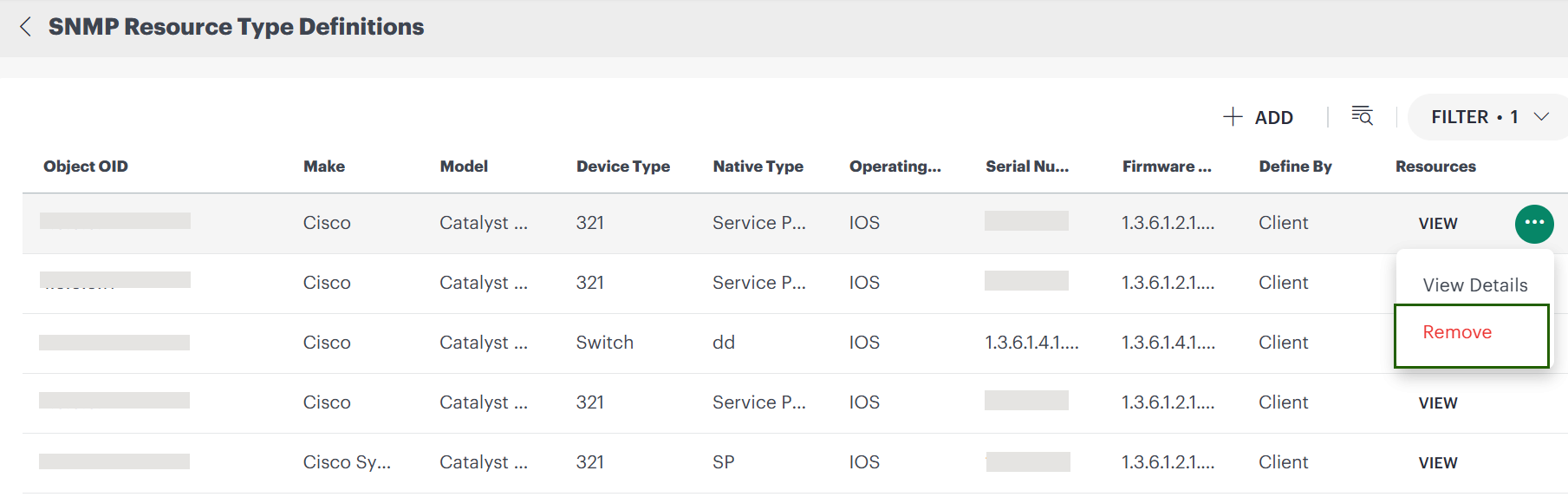
- Select Remove. A confirmation popup appears.
- Click REMOVE.