Create a new SNMP Resource Type Definition to tell OpsRamp how to identify devices and collect additional details during discovery. This configuration maps a device’s sysObjectID and OIDs to specific device attributes like make, model, and OS.
Add SNMP Resource Type Definition
Follow these steps to configure an SNMP Resource Type Definition:
Navigate to Setup > Account. The Account Details page appears.
Select the Integrations tile. The Installed Integrations page appears, with all installed applications.
Click + ADD on the Installed Integrations page. The Available Integrations page appears.
Search for the application or use All Categories to locate SNMP Resource Type Definitions.
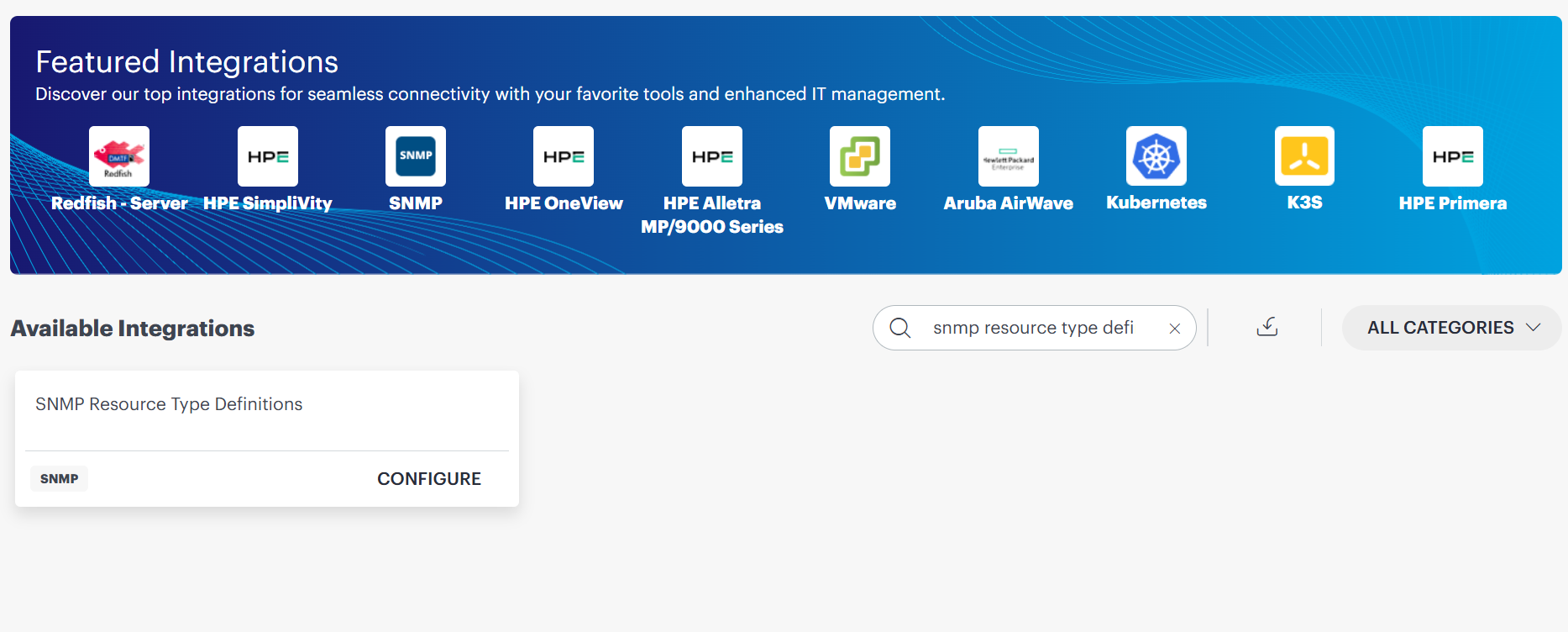
Click CONFIGURE on the SNMP Resource Type Definitions tile. The SNMP Resource Type Definitions listing page appears.
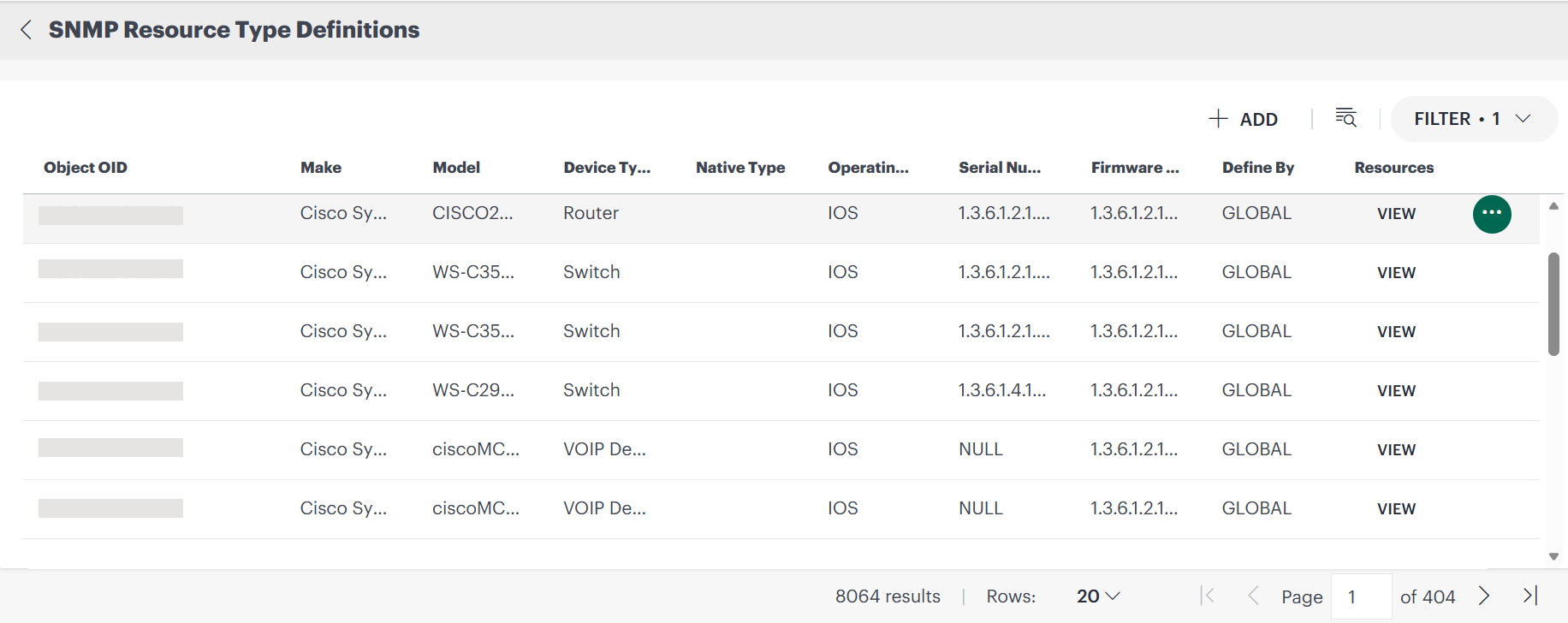
Click +ADD. The Add SNMP Resource Type Definition page appears.
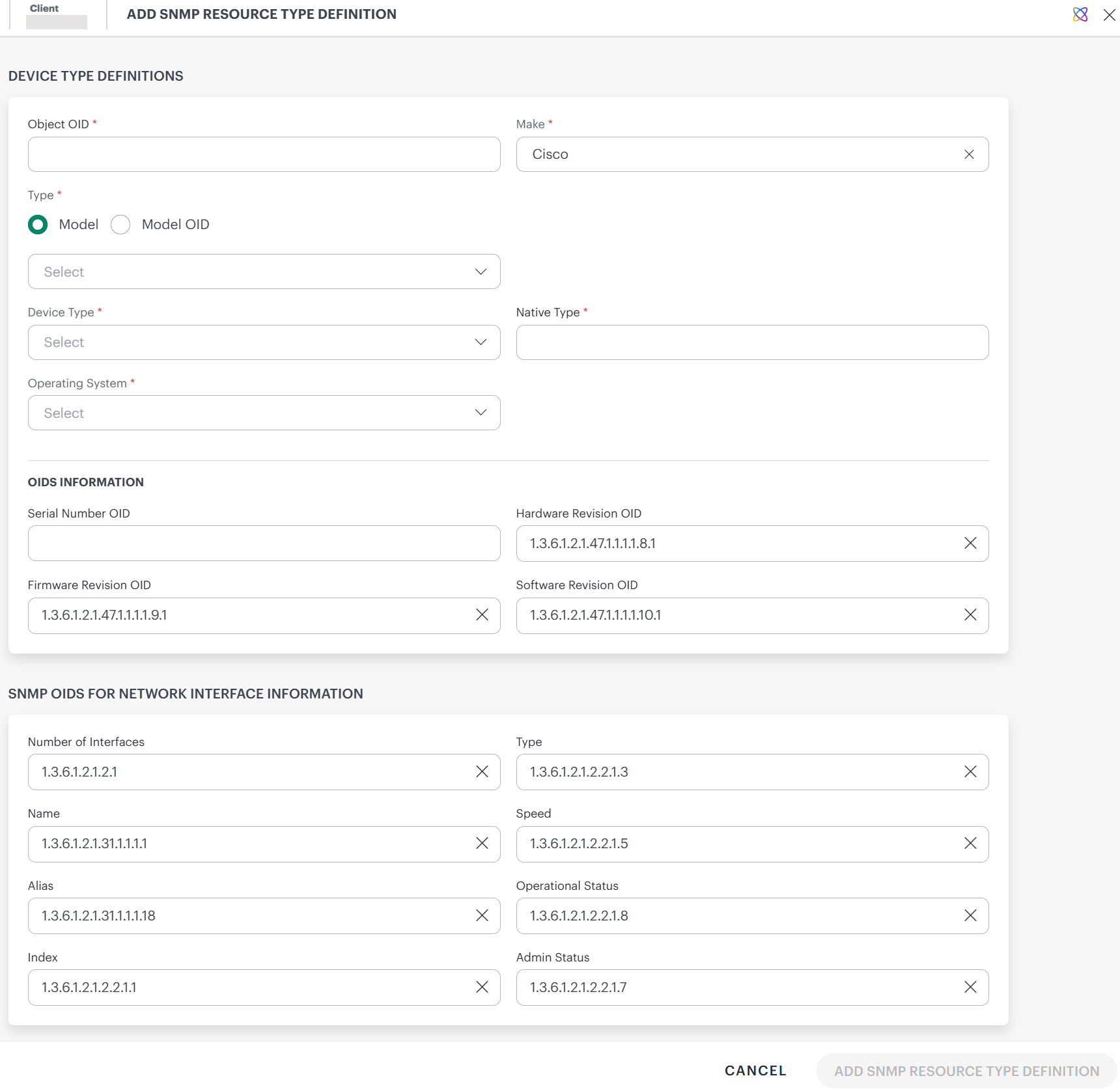
Enter the following information in the definition page:

Device Type Definitions
| Field | Description |
|---|---|
| Object OID | The SNMP sysObjectID OID that uniquely identifies the device type, for example 1.3.6.1.4.1.9.1.1745. |
| Make | Manufacturer or vendor of the device, for example Cisco, Juniper, or HP. |
| Type (Model / Model OID) | Select Model for a textual model name or Model OID to poll the model dynamically. |
| Device Type | Category of the device, for example Router, Switch, Firewall, Server, or Printer. |
| Native Type | Vendor-specific or platform-native device type string. |
| Operating System | Operating system running on the device, for example IOS, JunOS, or Linux. |
OIDs Information
| Field | Description |
|---|---|
| Serial Number OID | OID used to poll the device serial number via SNMP, for example entPhysicalSerialNum. |
| Hardware Revision OID | OID used to poll the hardware revision. Default: 1.3.6.1.2.1.47.1.1.1.1.8.1 |
| Firmware Revision OID | OID used to poll the firmware version. Default: 1.3.6.1.2.1.47.1.1.1.1.9.1 |
| Software Revision OID | OID used to poll the software version. Default: 1.3.6.1.2.1.47.1.1.1.1.10.1 |
SNMP OIDs for Network Interface Information
| Field | Description |
|---|---|
| Number of Interfaces | OID used to poll the total number of network interfaces. Default: 1.3.6.1.2.1.2.1 |
| Type | OID used to poll the interface type from IF-MIB ifType. Default: 1.3.6.1.2.1.2.2.1.3 |
| Name | OID used to poll the textual interface name from IF-MIB ifName. Default: 1.3.6.1.2.1.31.1.1.1.1 |
| Speed | OID used to poll the interface speed in bits per second from IF-MIB ifSpeed. Default: 1.3.6.1.2.1.2.2.1.5 |
| Alias | OID used to poll the interface alias or description from IF-MIB ifAlias. Default: 1.3.6.1.2.1.31.1.1.1.18 |
| Operational Status | OID used to poll the current operational state of the interface. Default: 1.3.6.1.2.1.2.2.1.8 |
| Index | OID used to poll the unique interface index number. Default: 1.3.6.1.2.1.2.2.1.1 |
| Admin Status | OID used to poll the desired administrative state of the interface. Default: 1.3.6.1.2.1.2.2.1.7 |