Overview
The OpsRamp Kubernetes 2.0 Agent can collect logs from both your pods (application and container logs) and your nodes (system-level syslogs), then forward them to the OpsRamp platform for centralized viewing, filtering, and troubleshooting.
Log Management is enabled at the client level, and once turned on, you can further customize exactly what gets collected - which namespaces, which severity levels, which fields get masked, and more without needing to modify the agent itself.
What you can do with Log Management
- Collect logs from all pods and nodes in a cluster automatically, with no extra configuration required.
- Narrow collection to specific namespaces, or exclude noisy ones.
- Filter logs by severity, so only warnings and above (for example) reach the platform.
- Mask or redact sensitive data - like emails, tokens, or passwords, before logs leave your cluster.
- Attach extra Kubernetes metadata (like container image name or pod start time) to every log record for easier filtering.
- View, filter, and live-tail logs directly in the OpsRamp portal.
Prerequisites
- Enable Log Management at client level
- Enable Logs during Agent installation
- During installation of the Kubernetes 2.0 Agent, ensure that the Logs option is enabled.
- For details, refer to the Agent Installation Guide.
Note
If Log Ingestion for Enable All Agents is left enabled, OpsRamp collects logs from every agents installed under that client. To limit log ingestion to specific agents, contact OpsRamp Support to discuss scoped log ingestion options.Navigate to Setup > Accounts > Clients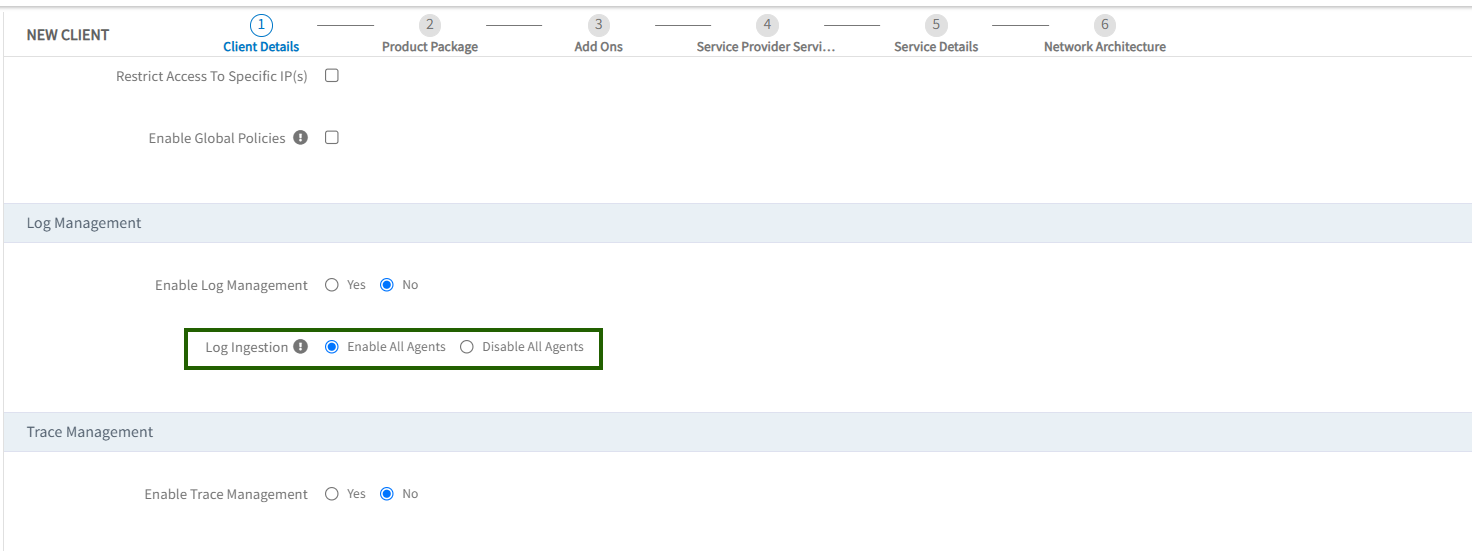
Default behavior
Once Log Management is enabled at the client level and logs.enabled: true is set in the agent manifest, the agent collects all pod logs and all node syslogs by default and no additional configuration is required to get started.
logs:
  enabled: true
You can view collected logs in the OpsRamp portal under Infrastructure > Logs.
Customizing log collection
All customization is done through a single Kubernetes ConfigMap named opsramp-logs-user-config, created automatically when the agent is installed. You can edit this ConfigMap directly. The agent detects changes and applies them automatically, typically restarting the log collector within a few minutes (no manual agent restart needed in most cases).
To view the current configuration at any time:
kubectl get configmap opsramp-logs-user-config -n <agent-installed-namespace>
To edit it:
kubectl edit configmap opsramp-logs-user-config -n <agent-installed-namespace>
Use the pages below depending on what you want to configure:
| I want to... | Go to |
|---|---|
| Control what pod logs are collected, including namespaces, labels, and buffering. | Configure Pod Logs Collection from Kubernetes Pods |
| Configure syslog collection from Kubernetes nodes. | Configuring Node Logs (Syslog) |
| View, filter, or live-tail logs in the portal. | Viewing Logs in the Portal |